Need help to understand this playbook or implementing it? Book a call with our team for guidance. Have a custom playbook requirement or feedback to share? We’d love to hear from you! Simply schedule a meeting, and we’ll help you maximize your results with Reo.Dev
If you have any questions or need help, you can reach out to us in our Slack customer channel, schedule a meeting with our team, or email us at support@reo.dev. We’re here to support you every step of the way and ensure you get the most out of Reo.Dev!
What if every time an account became a high-intent one — you knew first?
This playbook alerts you the moment an account enters your hot account segment. You get the “act now” signal in Slack instantly - ensuring no high-value accounts slip through the cracks.
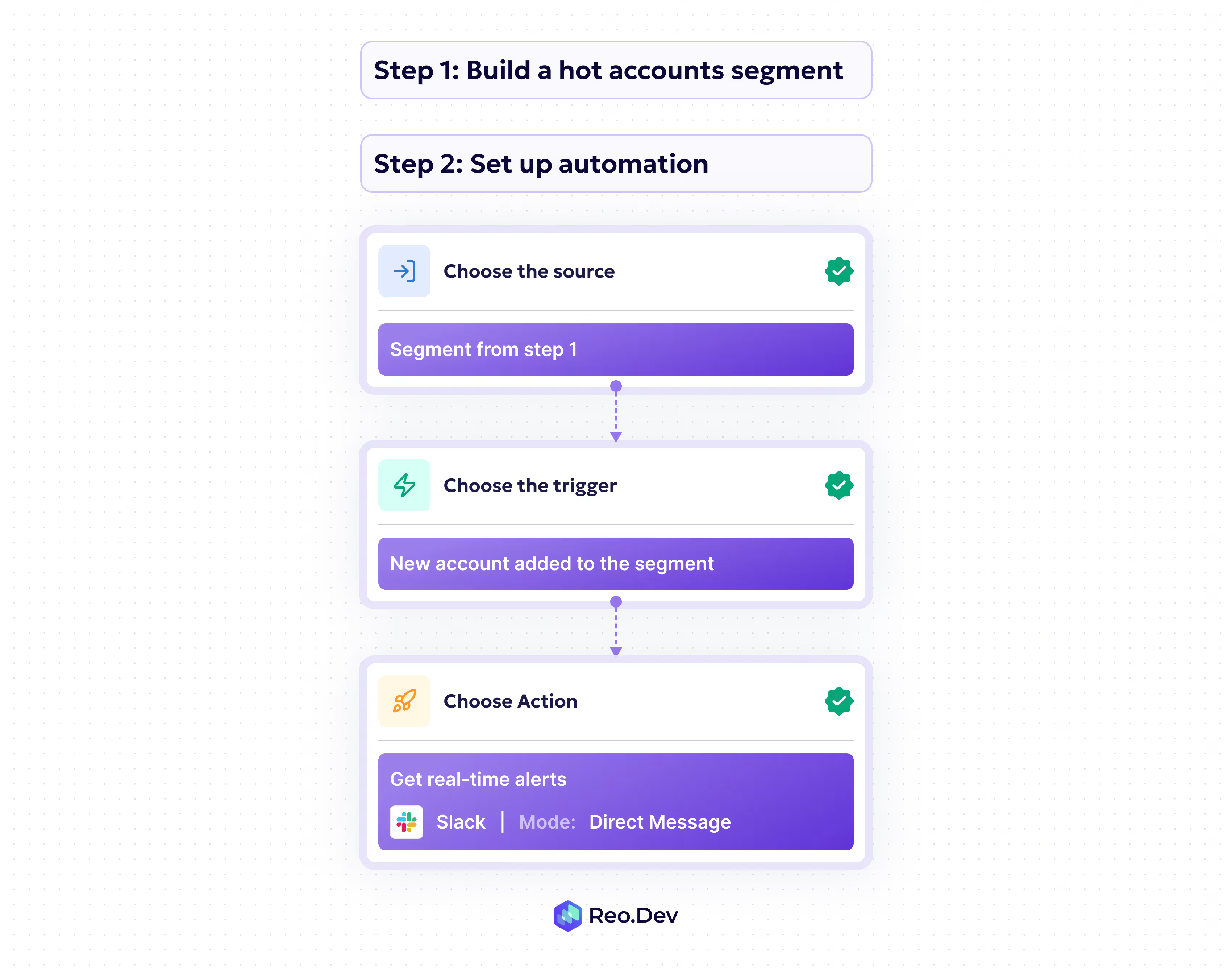
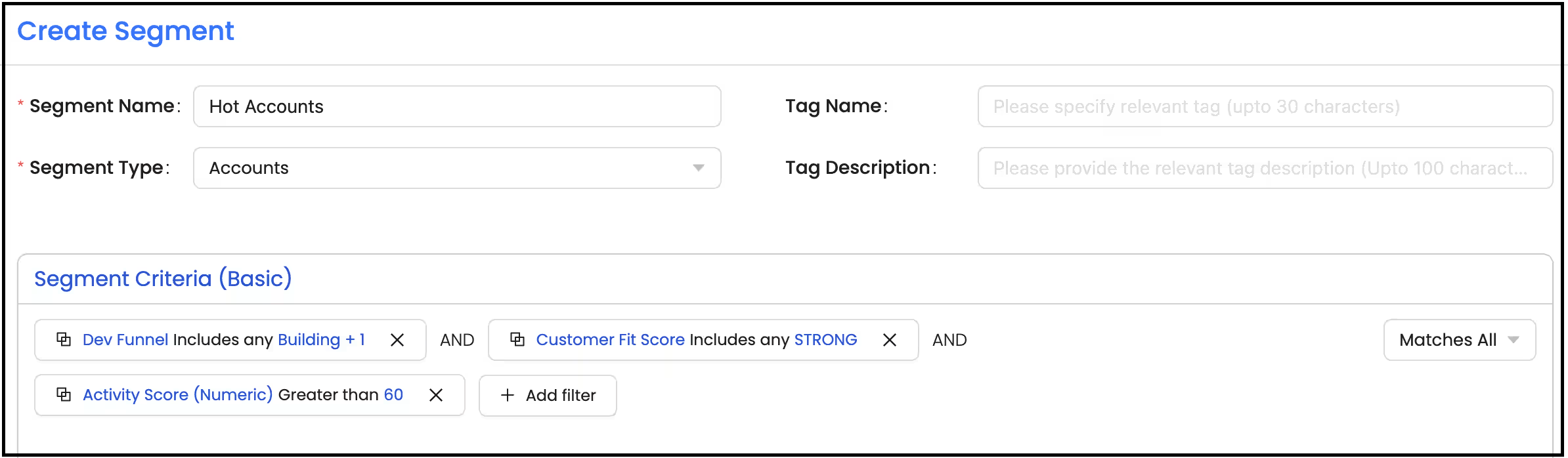
Step 1: Create hot account/high-intent segment
Segment: Basic
Segment Type: Accounts
Primary Filters: Define what a ‘hot account’ means for you. For example:
Under Intel - Dev funnel - Building or Deployed Stage
Under Intel - Customer Fit Score - Strong
Under Intel - Activity Score - >60
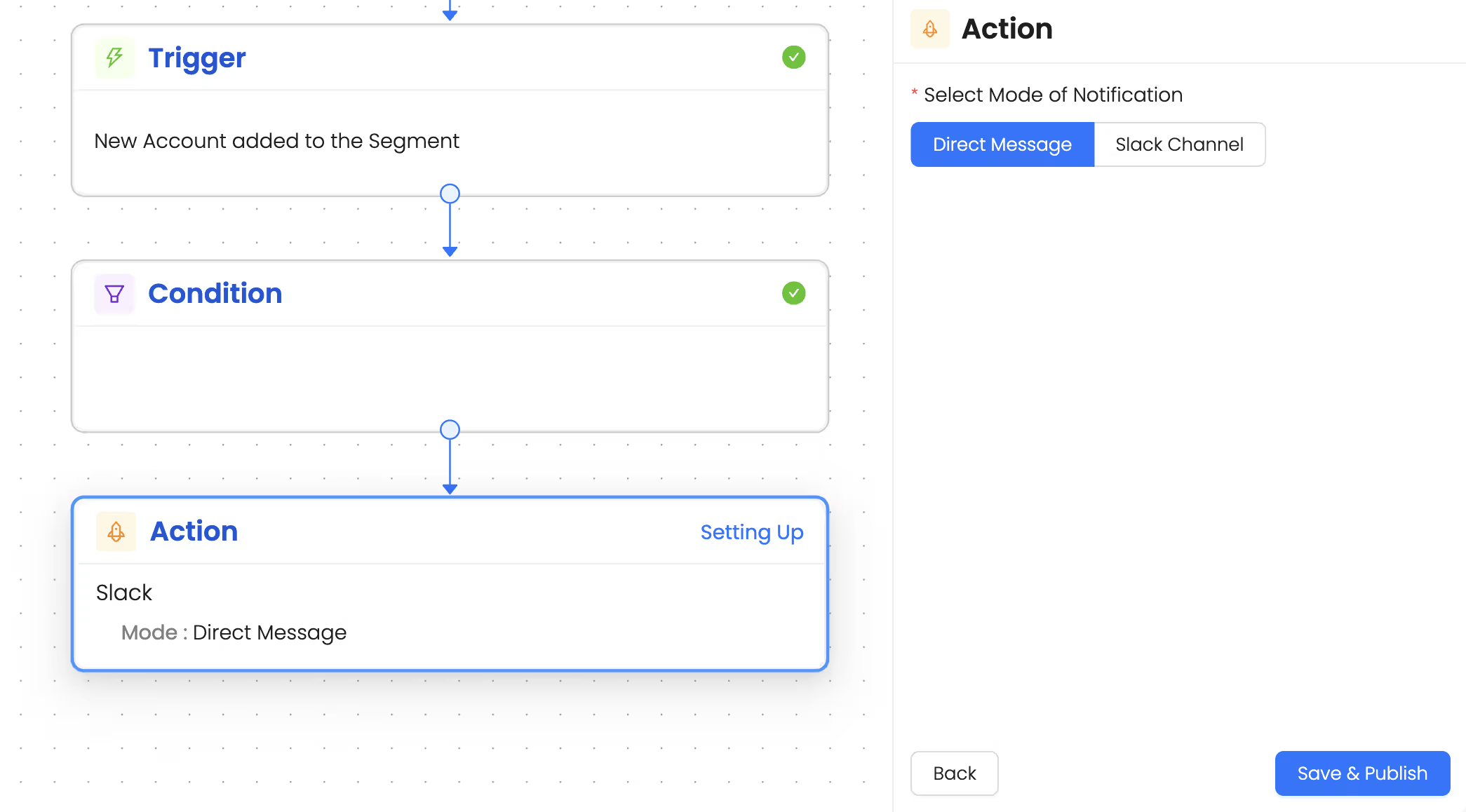
Step 2: Set up an Alert on a Slack Channel for the Entire Team
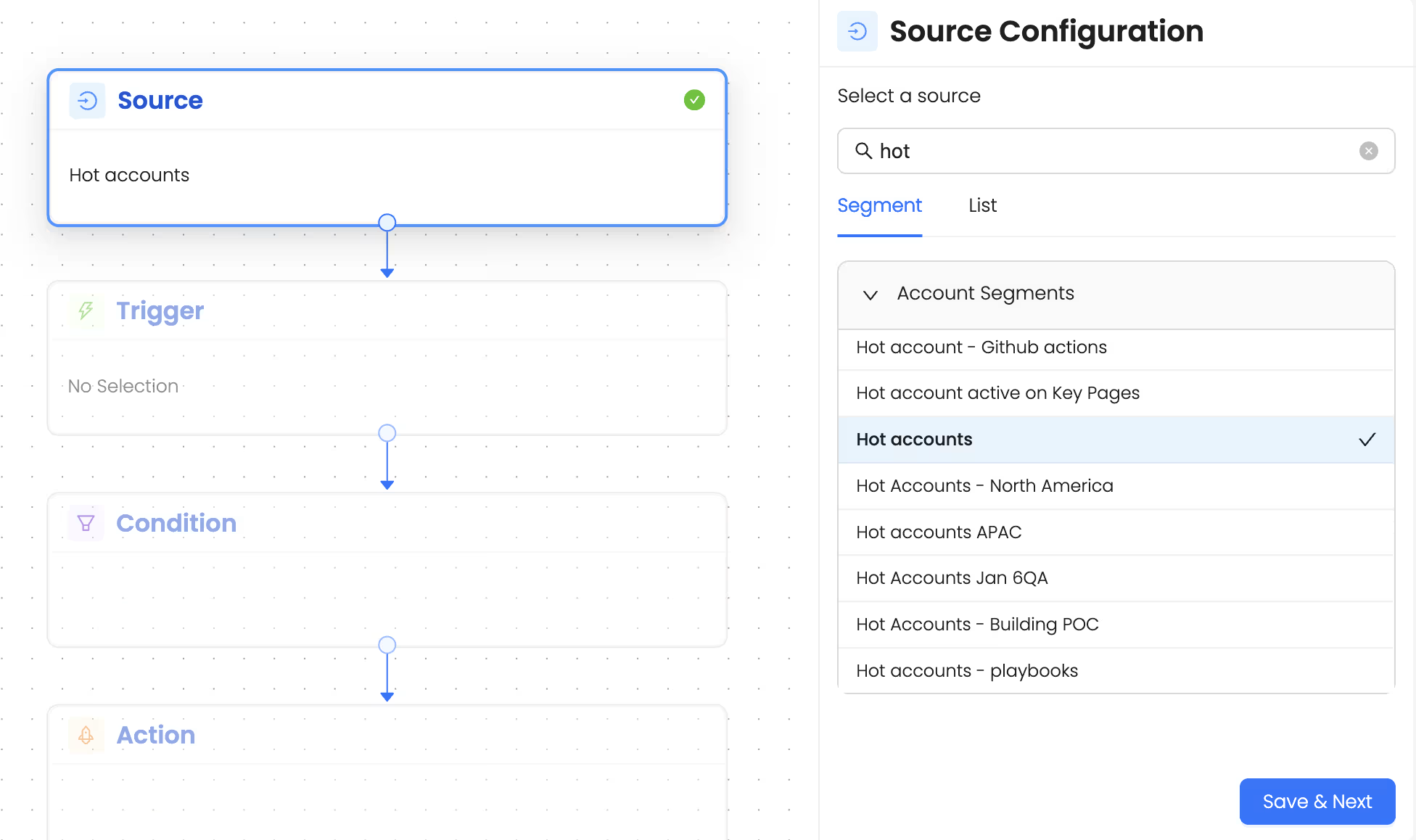
1. Choose the segment as the source
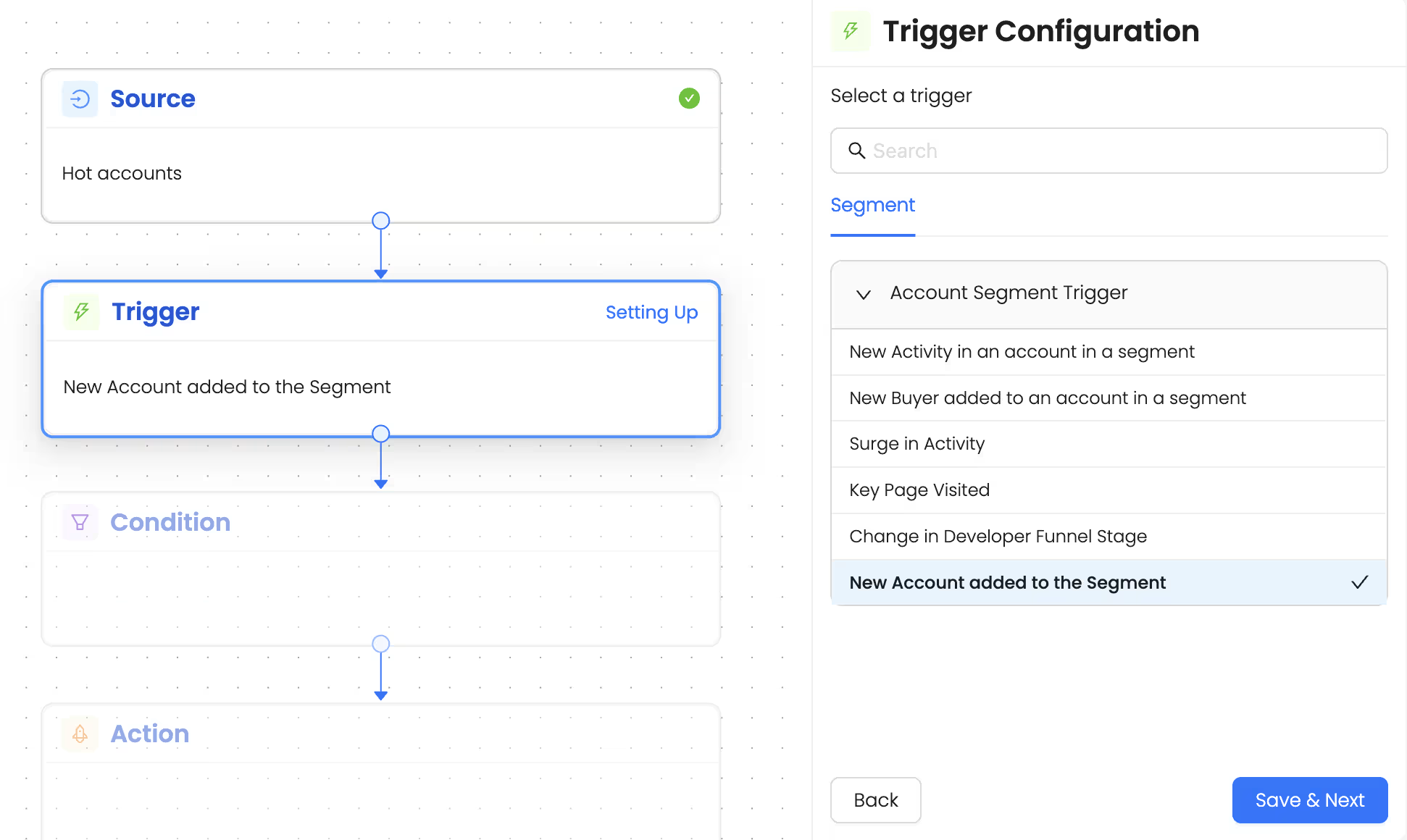
2. Choose the trigger as ‘New account added to the segment’
3. Choose action: Get alerts via slack
Talk to Our Team
Need help to understand this playbook or implementing it? Book a call with our team for guidance. Have a custom playbook requirement or feedback to share? We’d love to hear from you! Simply schedule a meeting, and we’ll help you maximize your results with Reo.Dev
If you have any questions or need help, you can reach out to us in our Slack customer channel, schedule a meeting with our team, or email us at support@reo.dev. We’re here to support you every step of the way and ensure you get the most out of Reo.Dev!