Need help to understand this playbook or implementing it? Book a call with our team for guidance. Have a custom playbook requirement or feedback to share? We’d love to hear from you! Simply schedule a meeting, and we’ll help you maximize your results with Reo.Dev
If you have any questions or need help, you can reach out to us in our Slack customer channel, schedule a meeting with our team, or email us at support@reo.dev. We’re here to support you every step of the way and ensure you get the most out of Reo.Dev!
Imagine getting a Slack DM the instant a new prospect in your ICP accounts hits your docs, product, or repo - basically shows any engagement.
This playbook does exactly that — surfacing new champions/decision makers the moment they appear.
You’re no longer chasing leads… you’re catching them at the exact moment they start engaging.
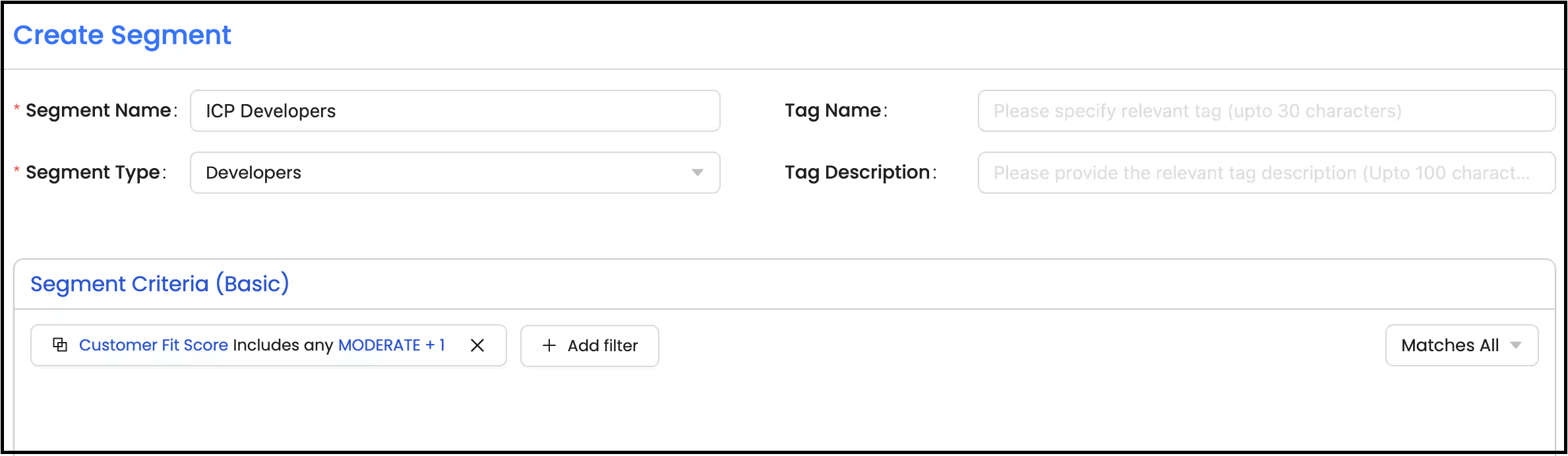
Step 1: Create a segment of your ICP Developers
Segment: Basic
Segment Type: Developers
Primary Filter:
Under Intel - Customer Fit Score - Includes any - ‘Strong’&‘Moderate’.
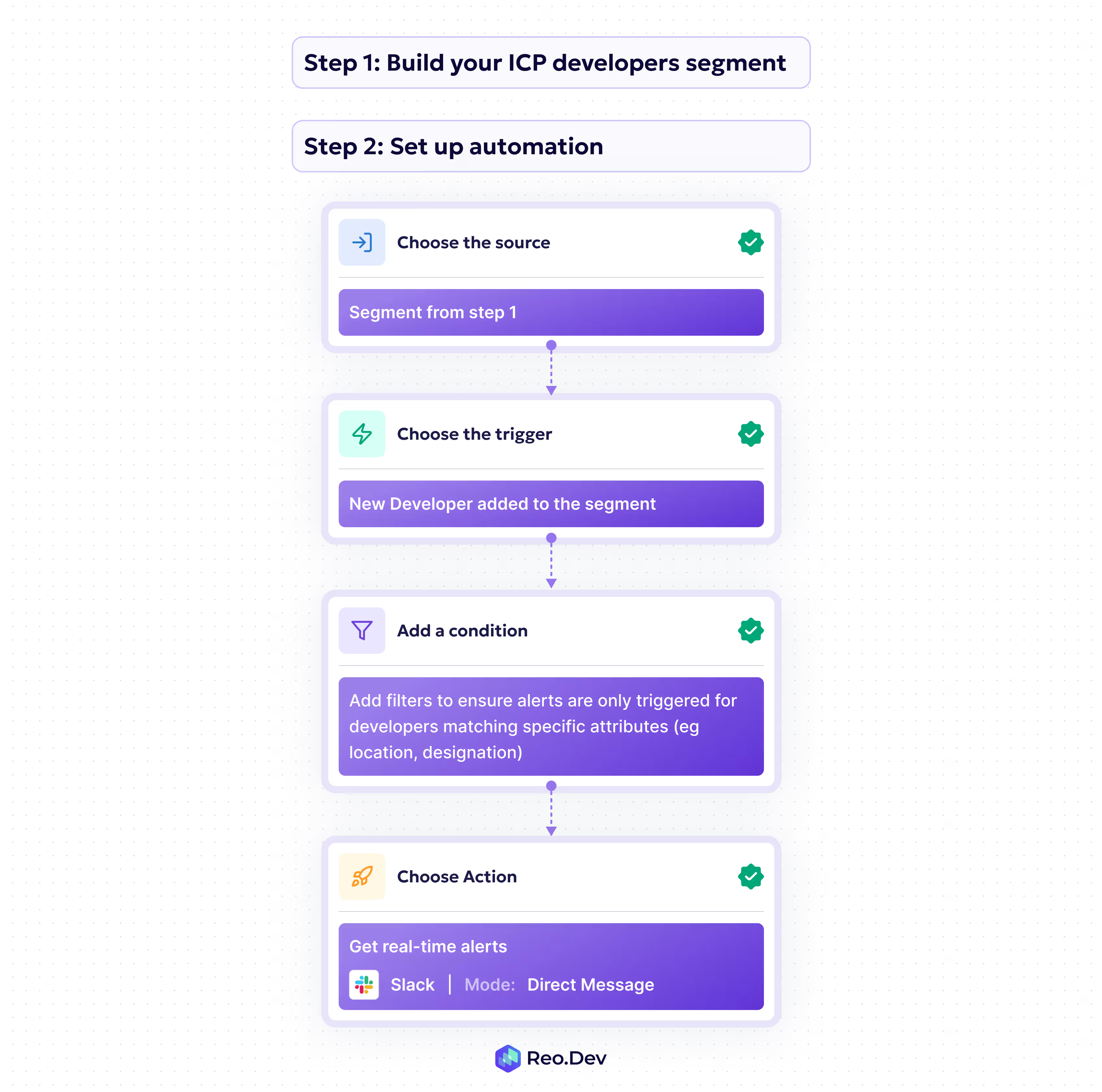
Step 2:Set up automation
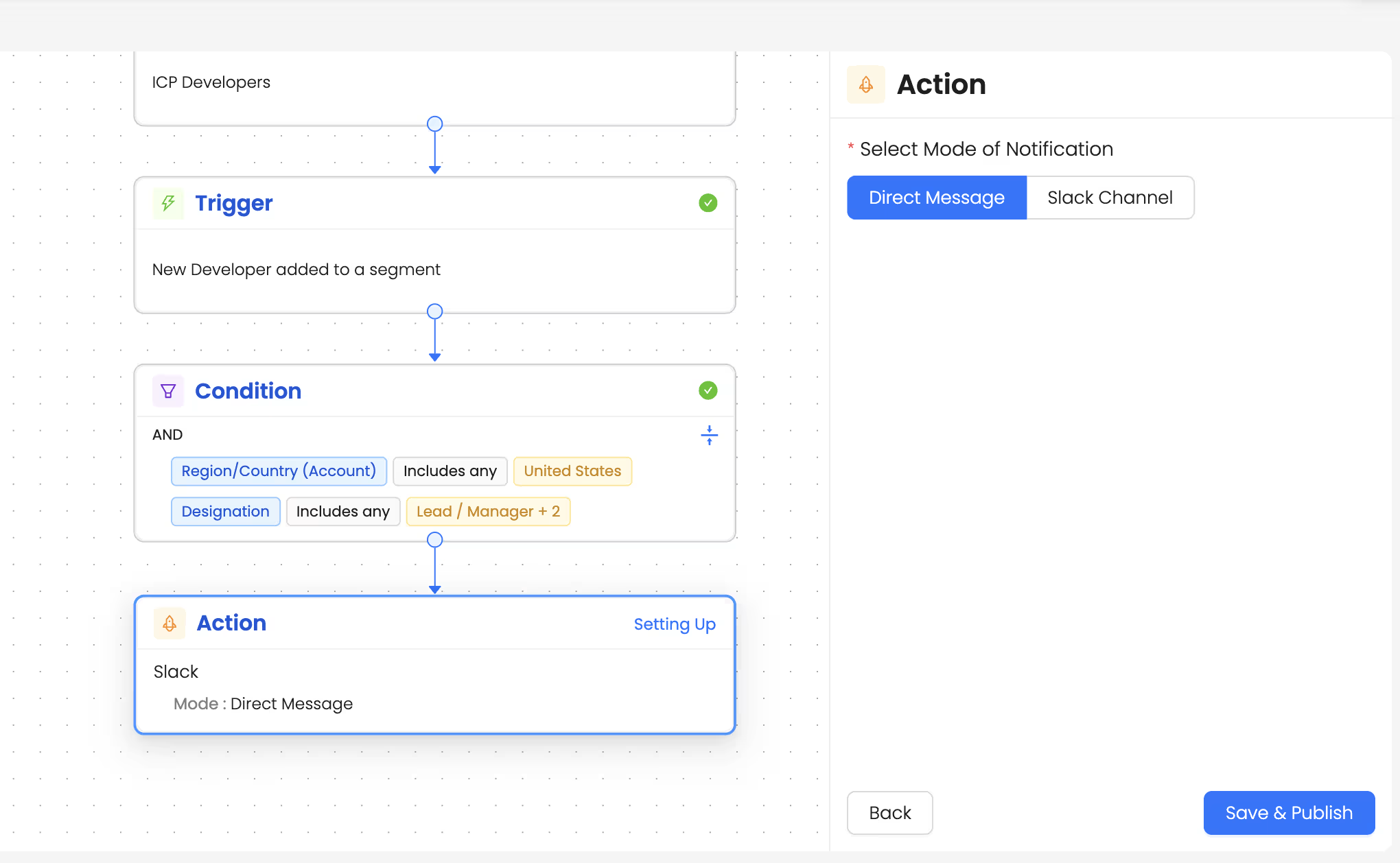
You can set up automations to get alerts anytime a new developer who matches specific ICP attributes is added to your ICP developer segment.
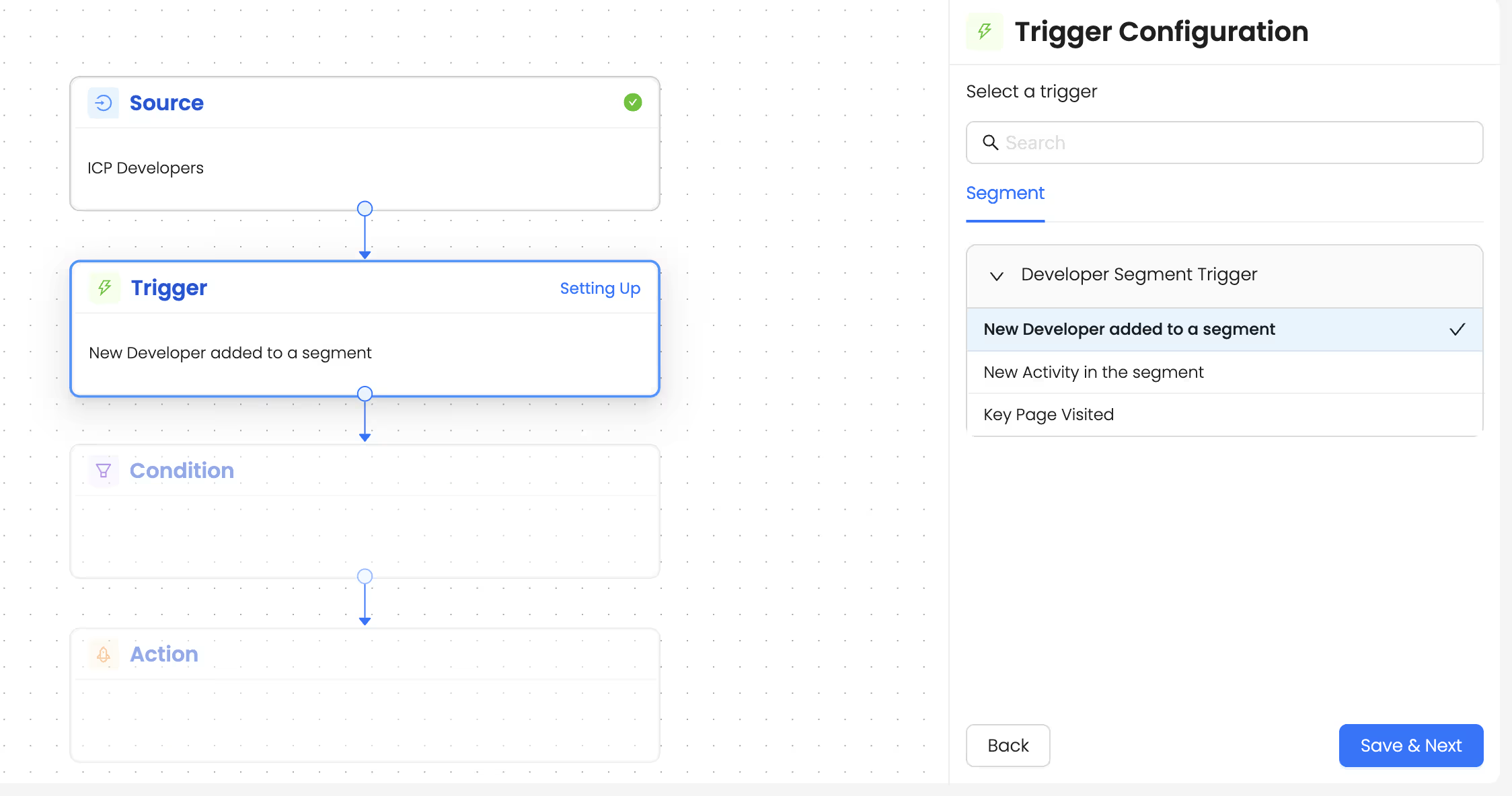
1. Choose the source as the segment created above.
2. Choose the trigger ‘New Developer added to a segment’. This trigger highlights new de-anonymized developers within your ICP accounts.
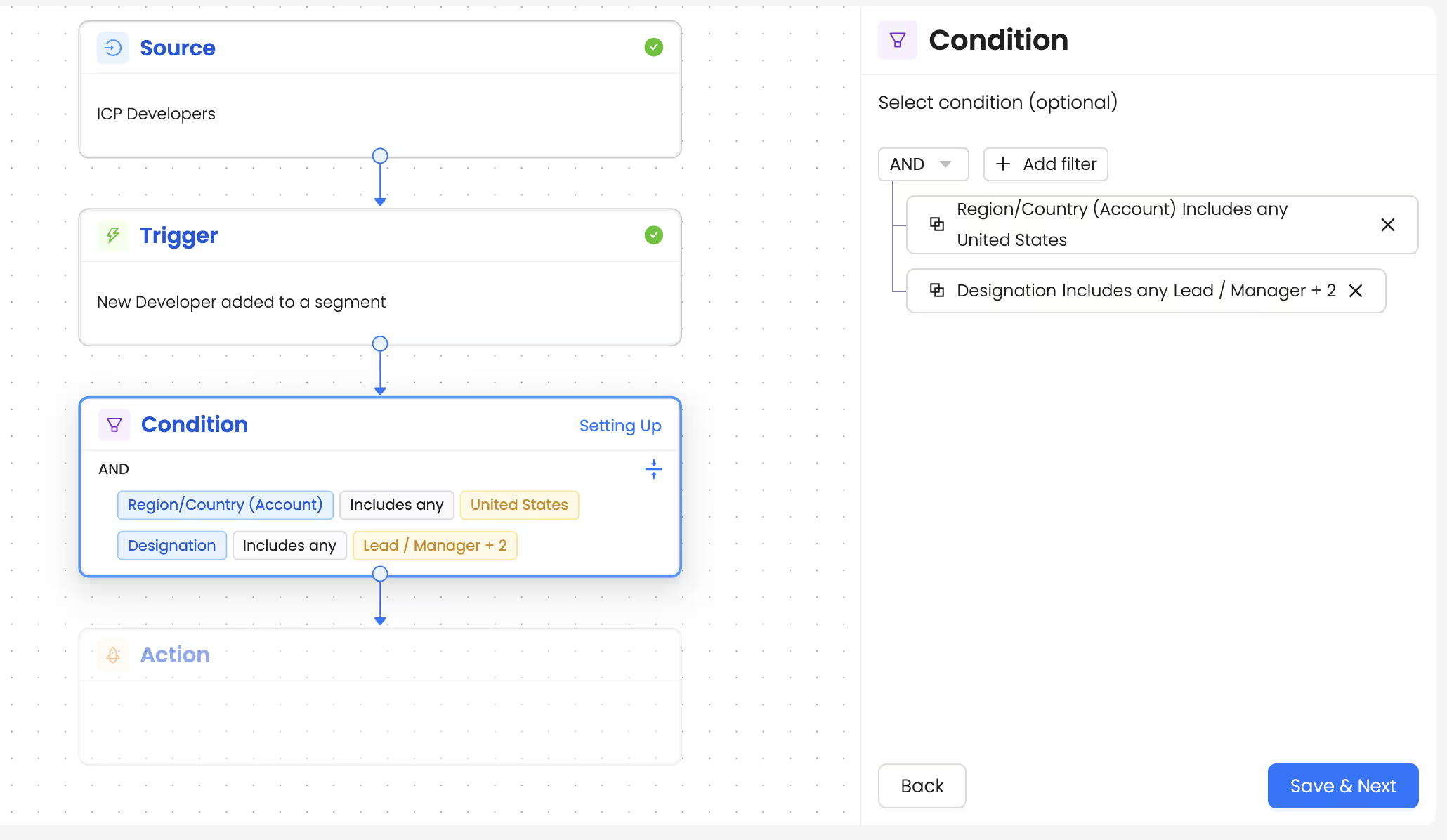
3. Add a condition: To ensure you get notified only when ICP-fit developers engage with you, add filters like location and designation to ensure only developers that match these criteria are surfaced.
4. Set up the ‘Get alerts via Slack’ action so reps can receive alerts whenever developers matching these conditions show activity.
Talk to Our Team
Need help to understand this playbook or implementing it? Book a call with our team for guidance. Have a custom playbook requirement or feedback to share? We’d love to hear from you! Simply schedule a meeting, and we’ll help you maximize your results with Reo.Dev
If you have any questions or need help, you can reach out to us in our Slack customer channel, schedule a meeting with our team, or email us at support@reo.dev. We’re here to support you every step of the way and ensure you get the most out of Reo.Dev!