Need help to understand this playbook or implementing it? Book a call with our team for guidance. Have a custom playbook requirement or feedback to share? We’d love to hear from you! Simply schedule a meeting, and we’ll help you maximize your results with Reo.Dev
If you have any questions or need help, you can reach out to us in our Slack customer channel, schedule a meeting with our team, or email us at support@reo.dev. We’re here to support you every step of the way and ensure you get the most out of Reo.Dev!
For GTM teams, one of the strongest buying signals is - a company actively hiring for the exact technologies/roles your tool supports (or competes with). When that happens, it indicates two things:
They’re investing in that technology
They’re feeling the pain your product solves
This playbook shows you how to capture that intent the moment it appears - and turn it into timely, signal-based outreach.
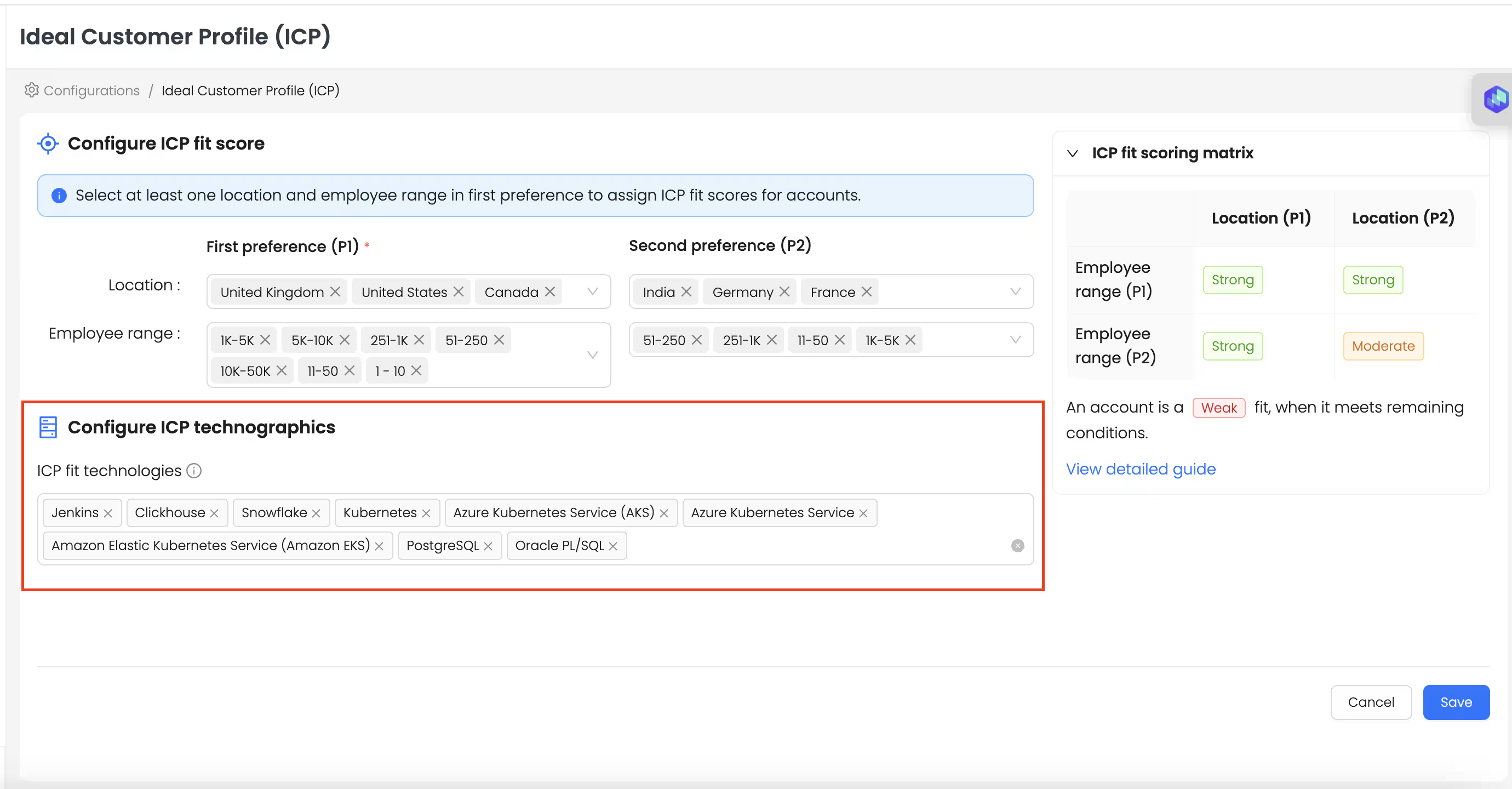
Step 1️⃣: Configure Your ICP Tech Stack
One-time setup to tell Reo which technologies matter to you. (Skip this step if you’ve already configured your ICP)
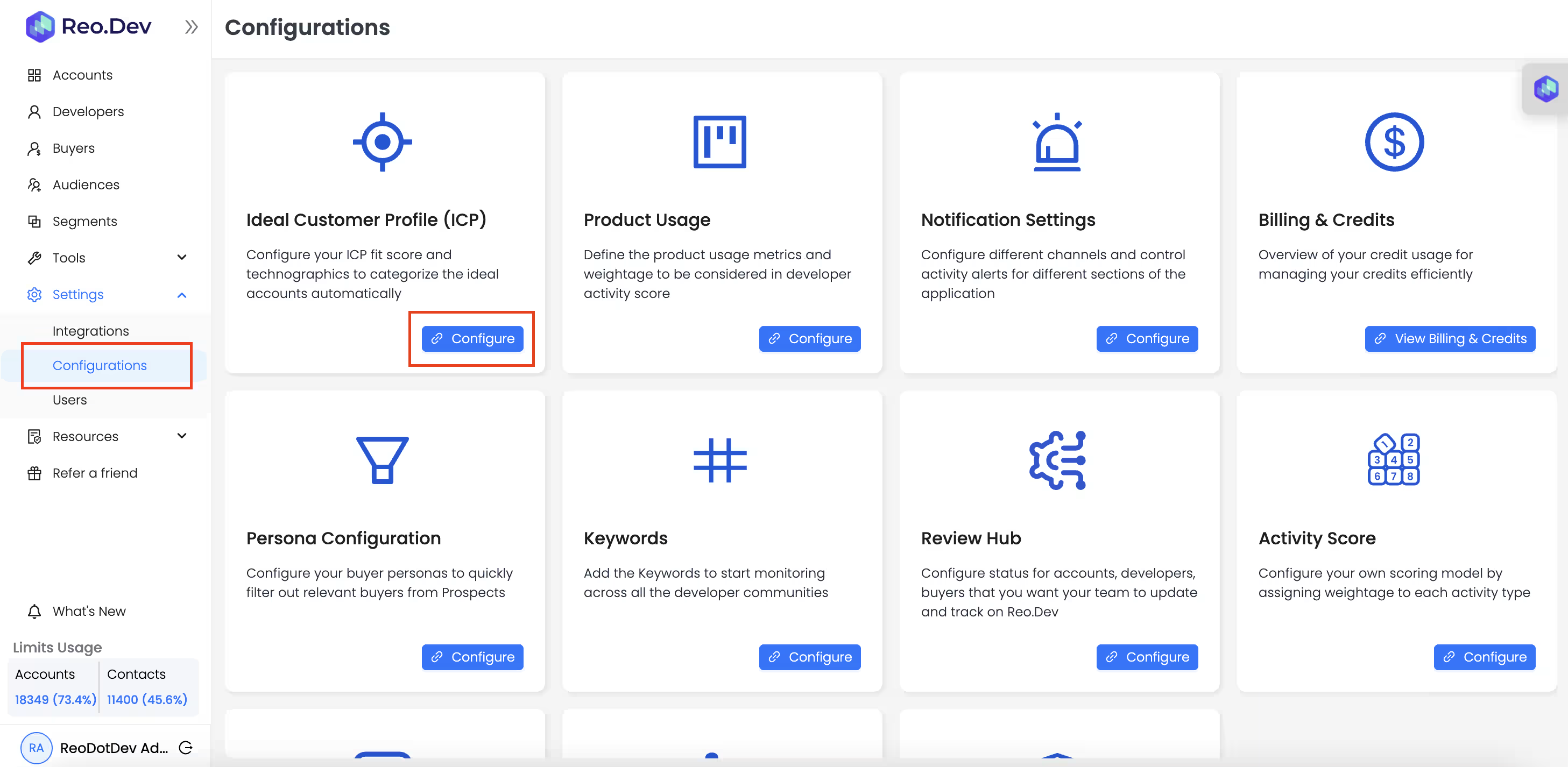
Go to Settings → Configurations → Ideal Customer Profile
1. Go to Settings → Configurations → Ideal Customer Profile
💡Quick Tip: From any account page, you can instantly scan: Which ICP technologies they use What roles they're hiring for How recently those jobs were posted
Step 2️⃣ : Build your ‘Hiring for ICP Tech Stack’ segment
This step helps you surface accounts actively hiring for your ICP technologies based on the job postings data.
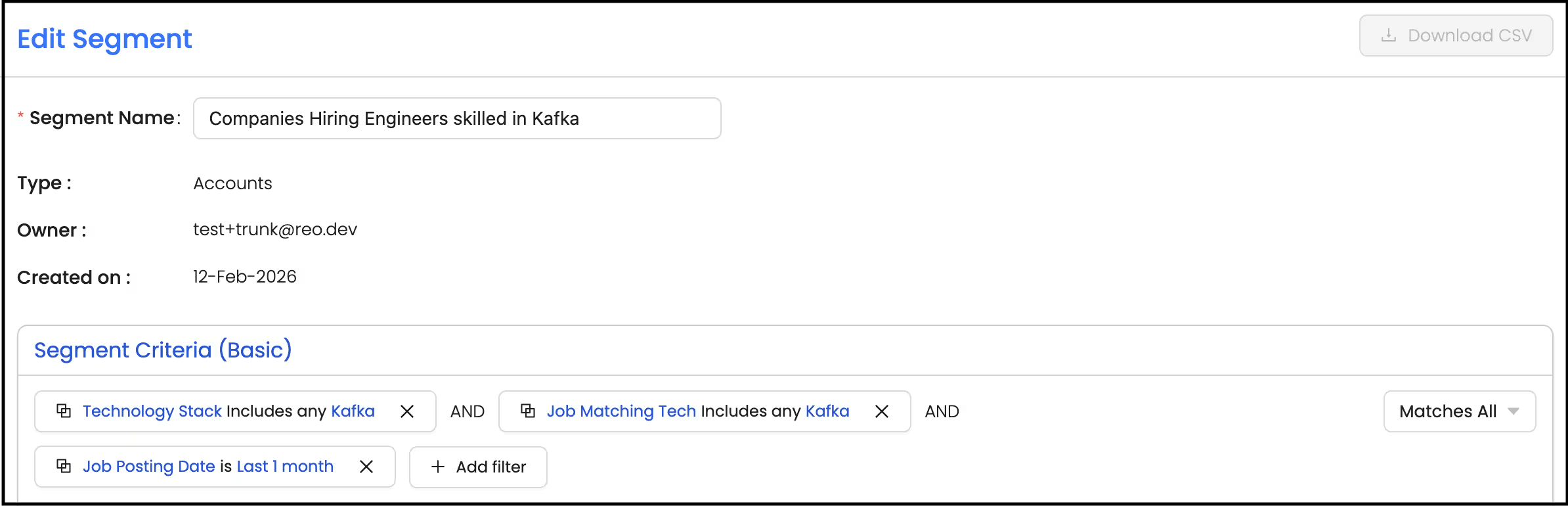
Segment Criteria
Segment: Basic
Segment Type: Account
Filters:
Under Account Technographics → Technology Stack - Includes any - ‘Select Your ICP technologies**’**
Under Account Technographics → Tech Job Postings → Job Matching Tech - Includes any - ‘Select your ICP technologies’
💡Pro tip: Add filters like job posting date, seniority, title etc to refine your segment
Step 3️⃣ : Get Automated Alerts
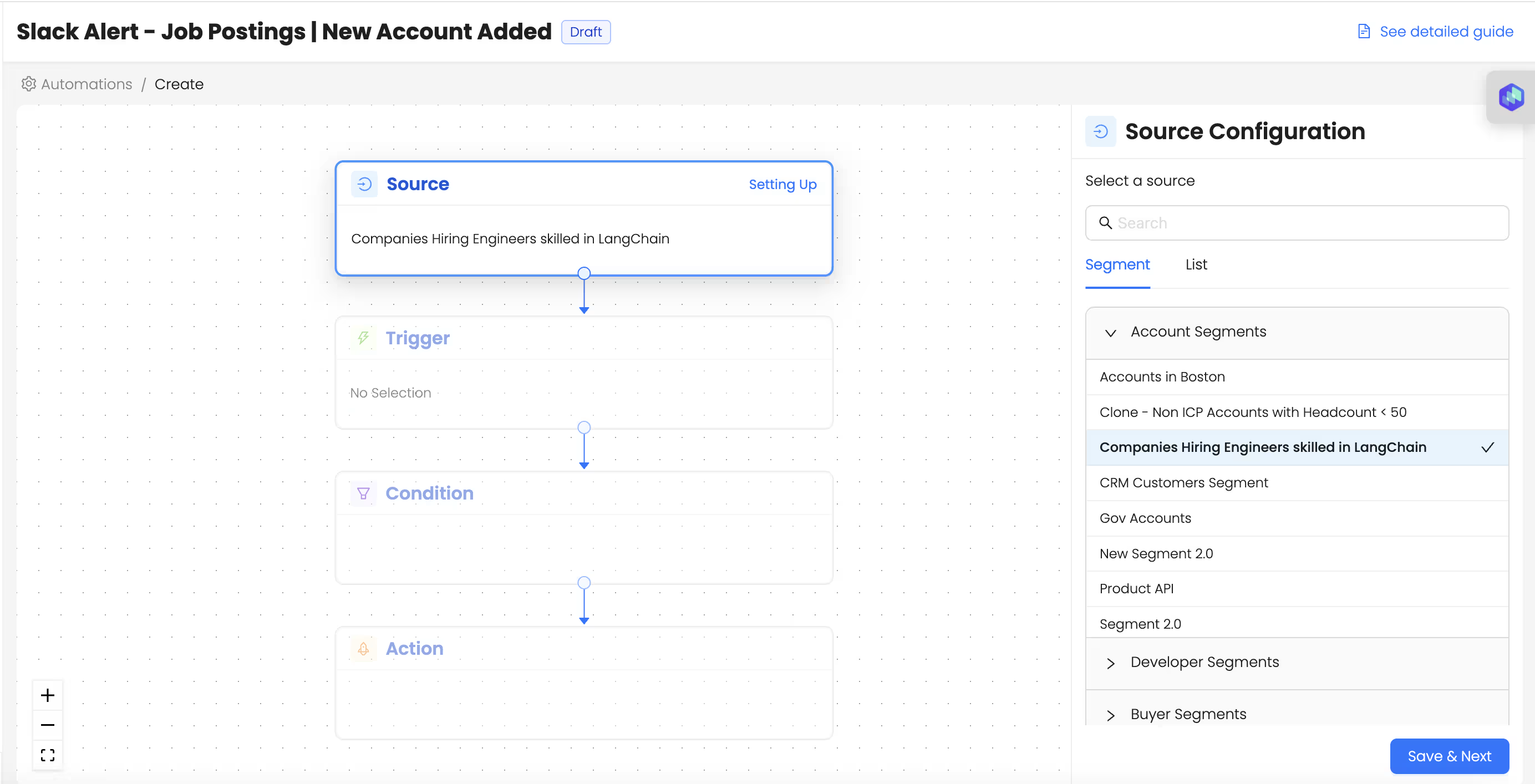
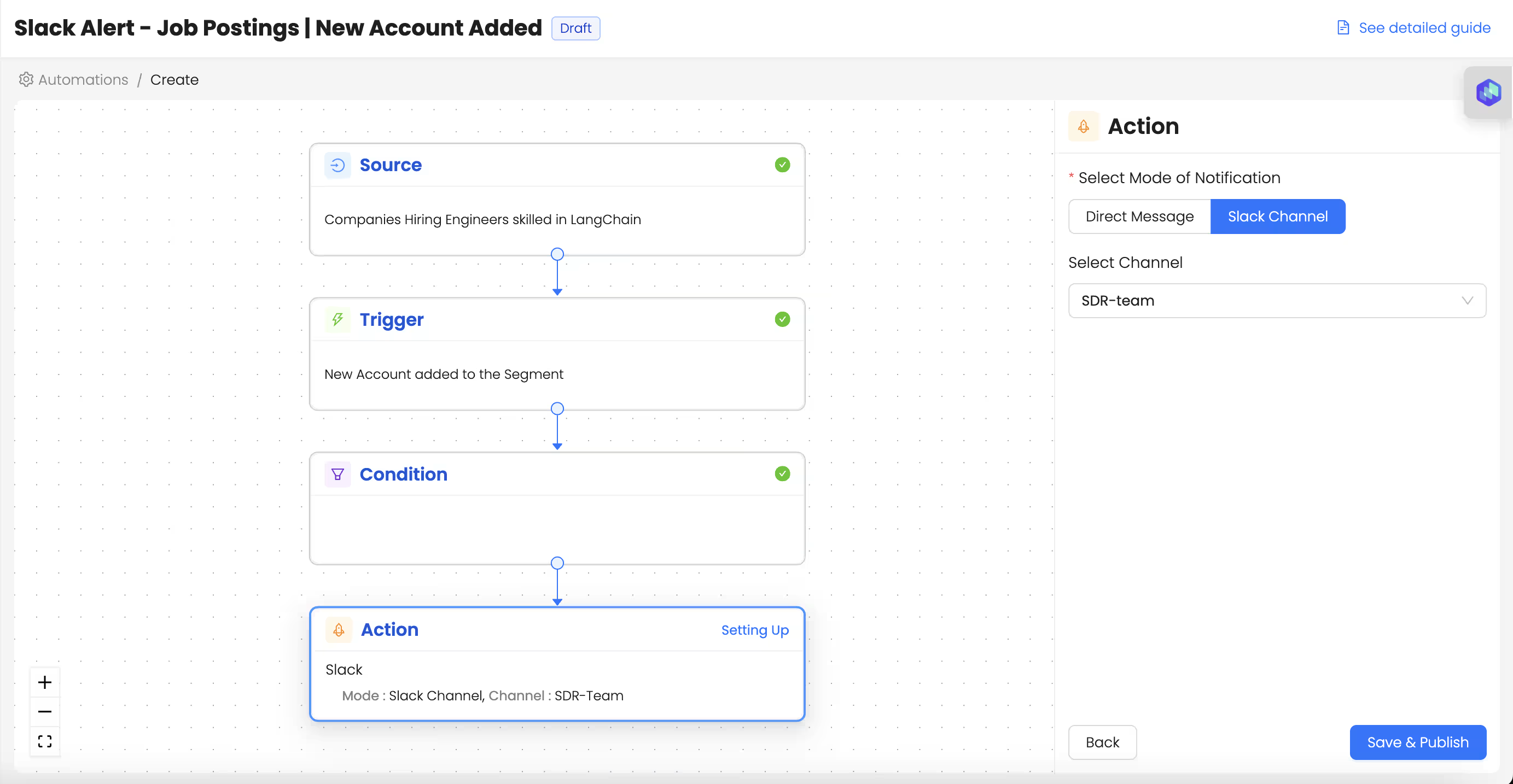
Setup an automation on this segment to get Slack alerts when a new account is added
1. Choose the source as ‘the segment’ we just created
2. Choose the trigger as ‘New Account Added to the segment’
3. Choose the action as - ‘Set up slack alert’
Talk to Our Team
Need help to understand this playbook or implementing it? Book a call with our team for guidance. Have a custom playbook requirement or feedback to share? We’d love to hear from you! Simply schedule a meeting, and we’ll help you maximize your results with Reo.Dev
If you have any questions or need help, you can reach out to us in our Slack customer channel, schedule a meeting with our team, or email us at support@reo.dev. We’re here to support you every step of the way and ensure you get the most out of Reo.Dev!