Need help to understand this playbook or implementing it? Book a call with our team for guidance. Have a custom playbook requirement or feedback to share? We’d love to hear from you! Simply schedule a meeting, and we’ll help you maximize your results with Reo.Dev
If you have any questions or need help, you can reach out to us in our Slack customer channel, schedule a meeting with our team, or email us at support@reo.dev. We’re here to support you every step of the way and ensure you get the most out of Reo.Dev!
This is the competitive intel every GTM team craves for.
When any company starts engaging with a competitor’s GitHub repo, you get an instant alert - giving you the perfect opening to jump in early, build awareness about your product and ensure it is in the consideration set while they’re actively evaluating solutions.
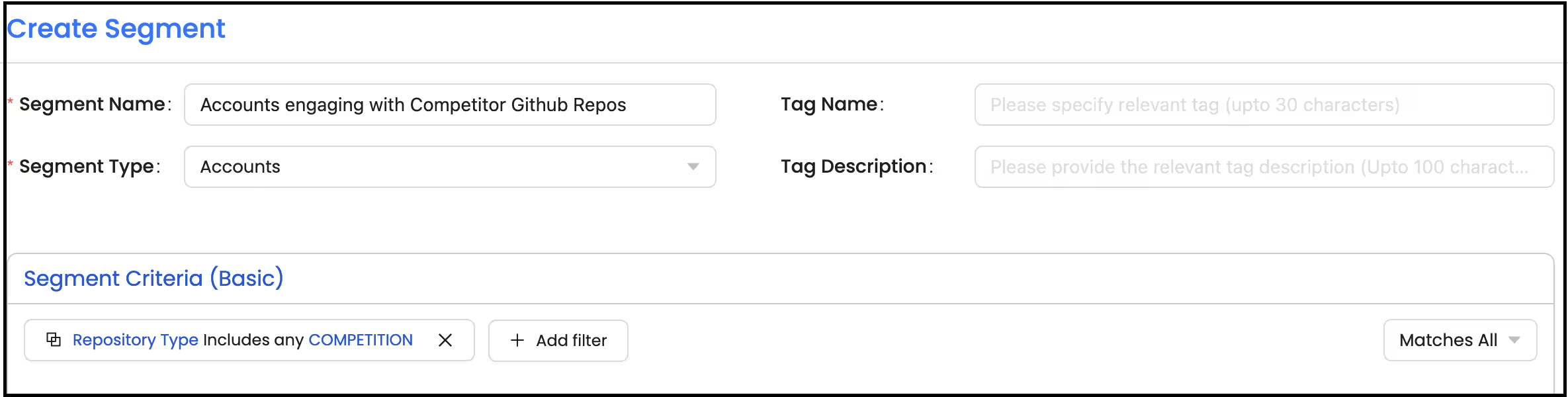
Step 1: Create a segment of accounts engaging with competitor assets.
Segment: Basic
Segment Type: Accounts
Primary Filter:
Under Activity Group - GithubRepository Type - Includes Competitor
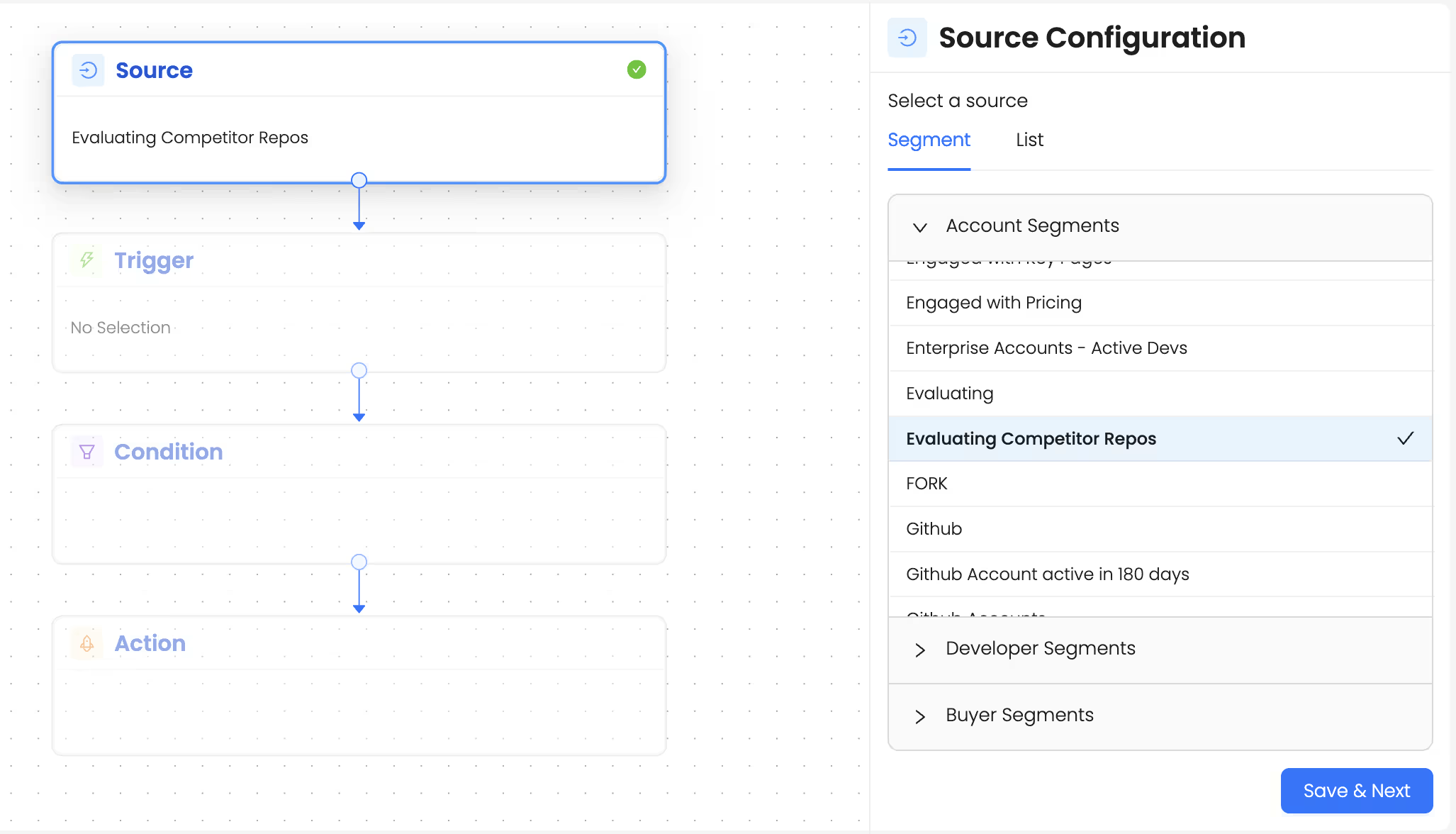
Step 2: Set up an automation to get alerted whenever a new account is active on any of your competitor Github repos.
1. Choose the source as the segment we just created.
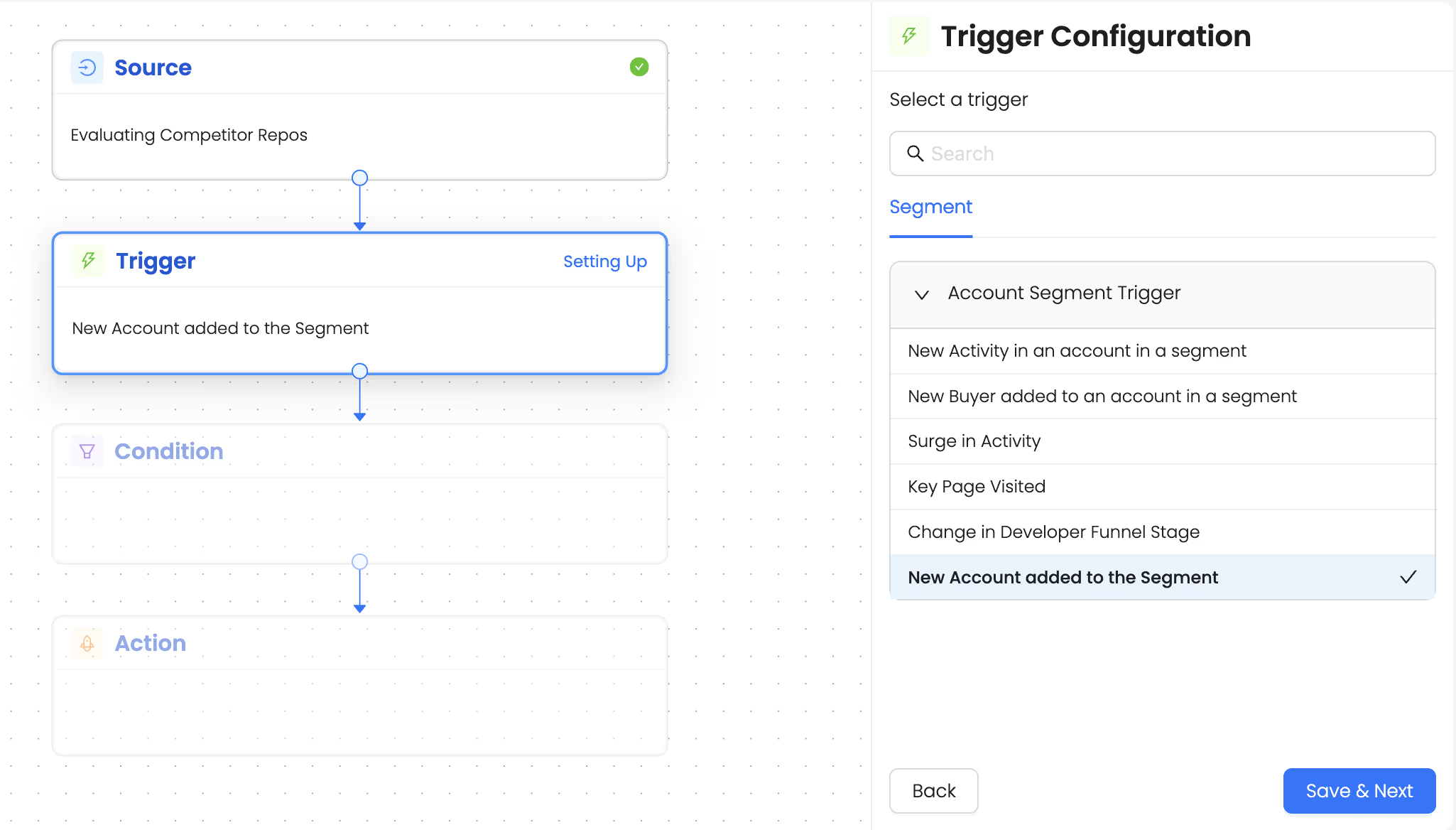
2. Choose the trigger as ‘New Account Added to the segment’
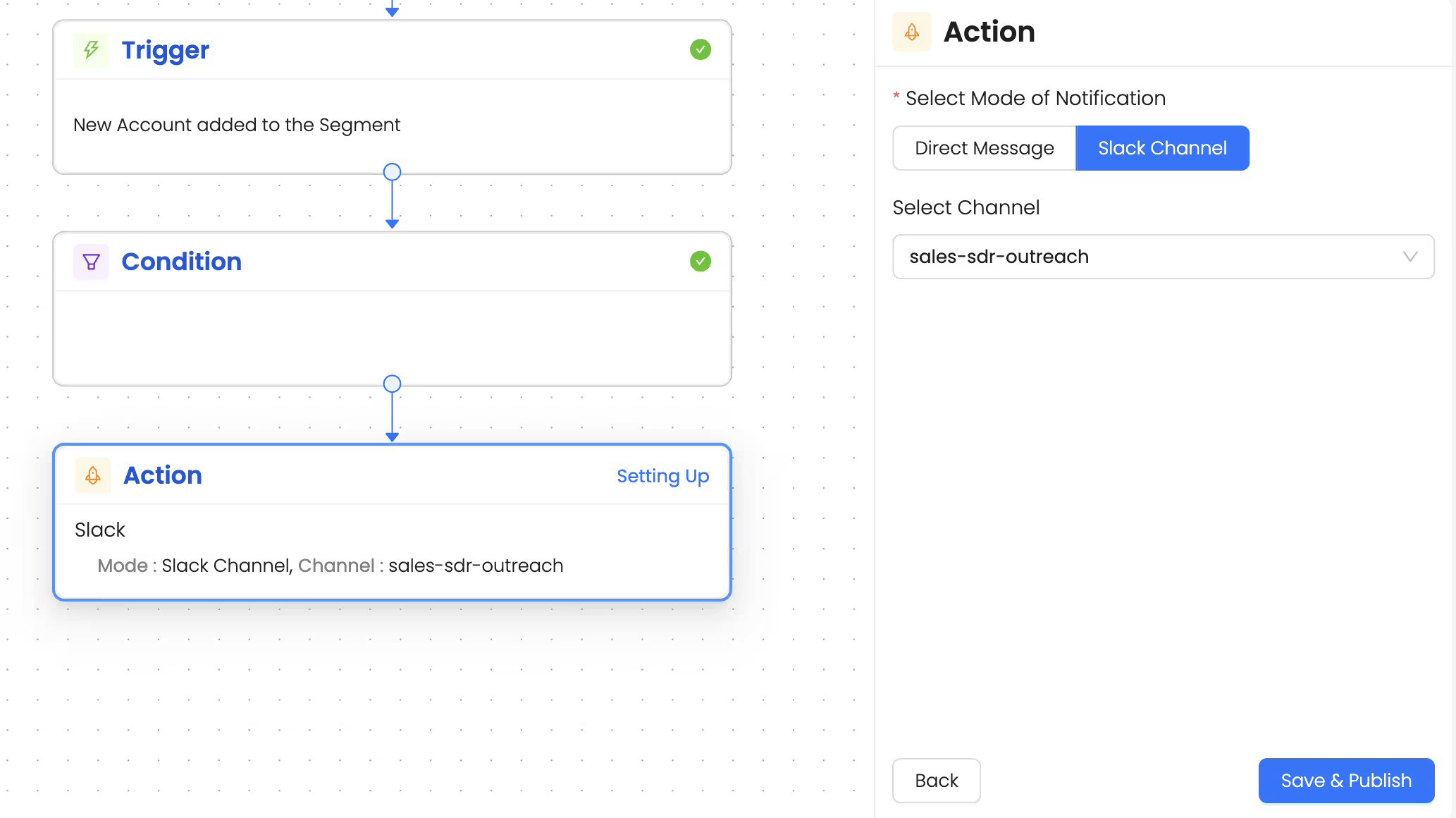
3. Choose the action as - Set up slack alert. You can create an alert for the entire team by sharing alerts in a slack channel so teams can action on those accounts faster and with the right context.
You can further leverage Reo Copilot to understand the exact use case/problem an account is trying to solve based on the competitor Github repo activity and draft highly technical, personalized outreach to the right people in those accounts.
Talk to Our Team
Need help to understand this playbook or implementing it? Book a call with our team for guidance. Have a custom playbook requirement or feedback to share? We’d love to hear from you! Simply schedule a meeting, and we’ll help you maximize your results with Reo.Dev
If you have any questions or need help, you can reach out to us in our Slack customer channel, schedule a meeting with our team, or email us at support@reo.dev. We’re here to support you every step of the way and ensure you get the most out of Reo.Dev!