Need help to understand this playbook or implementing it? Book a call with our team for guidance. Have a custom playbook requirement or feedback to share? We’d love to hear from you! Simply schedule a meeting, and we’ll help you maximize your results with Reo.Dev
If you have any questions or need help, you can reach out to us in our Slack customer channel, schedule a meeting with our team, or email us at support@reo.dev. We’re here to support you every step of the way and ensure you get the most out of Reo.Dev!
What if you never had to guess who to target on LinkedIn — and your ads hit every hot account/lead right on time?
With this automation, every newly active, high-intent account is pushed straight into your LinkedIn Ads without even lifting a finger!
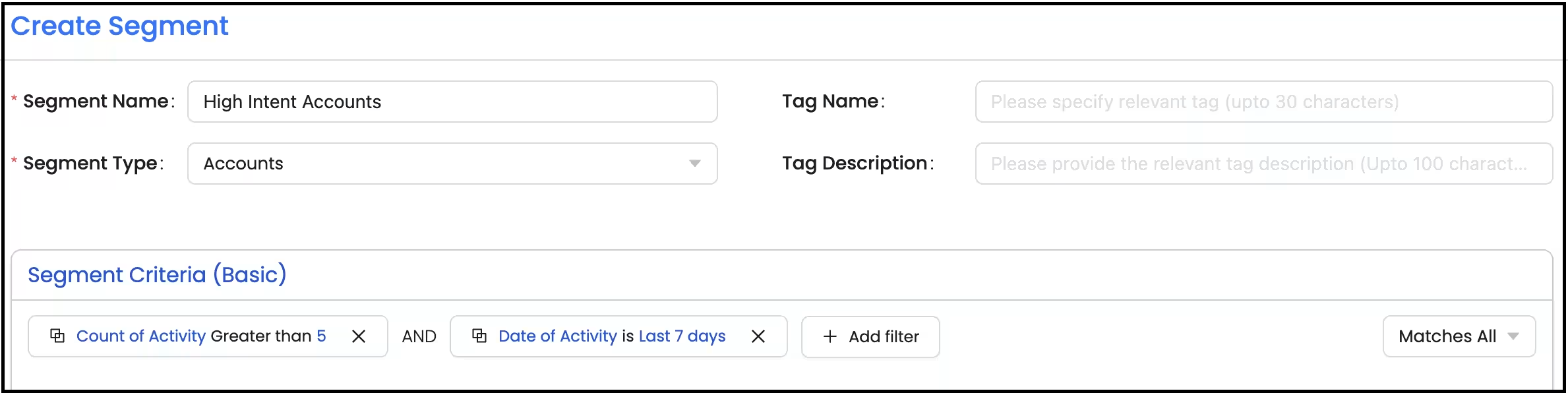
Note: You can set this automation up for any segment you want to run ads on. In this example we’re looking at a high-intent account segment as defined below. We’re using count and date of activity as the segment criteria - you can define your high-intent account segment based on your needs.
Step 1 Create a segment High Intent Accounts.
Segment: Basic
Segment Type: Accounts
Primary Filter:
Under Activity - Count of Activity - Greater than 5
Under Activity - Date of Activity - Is last 7 days
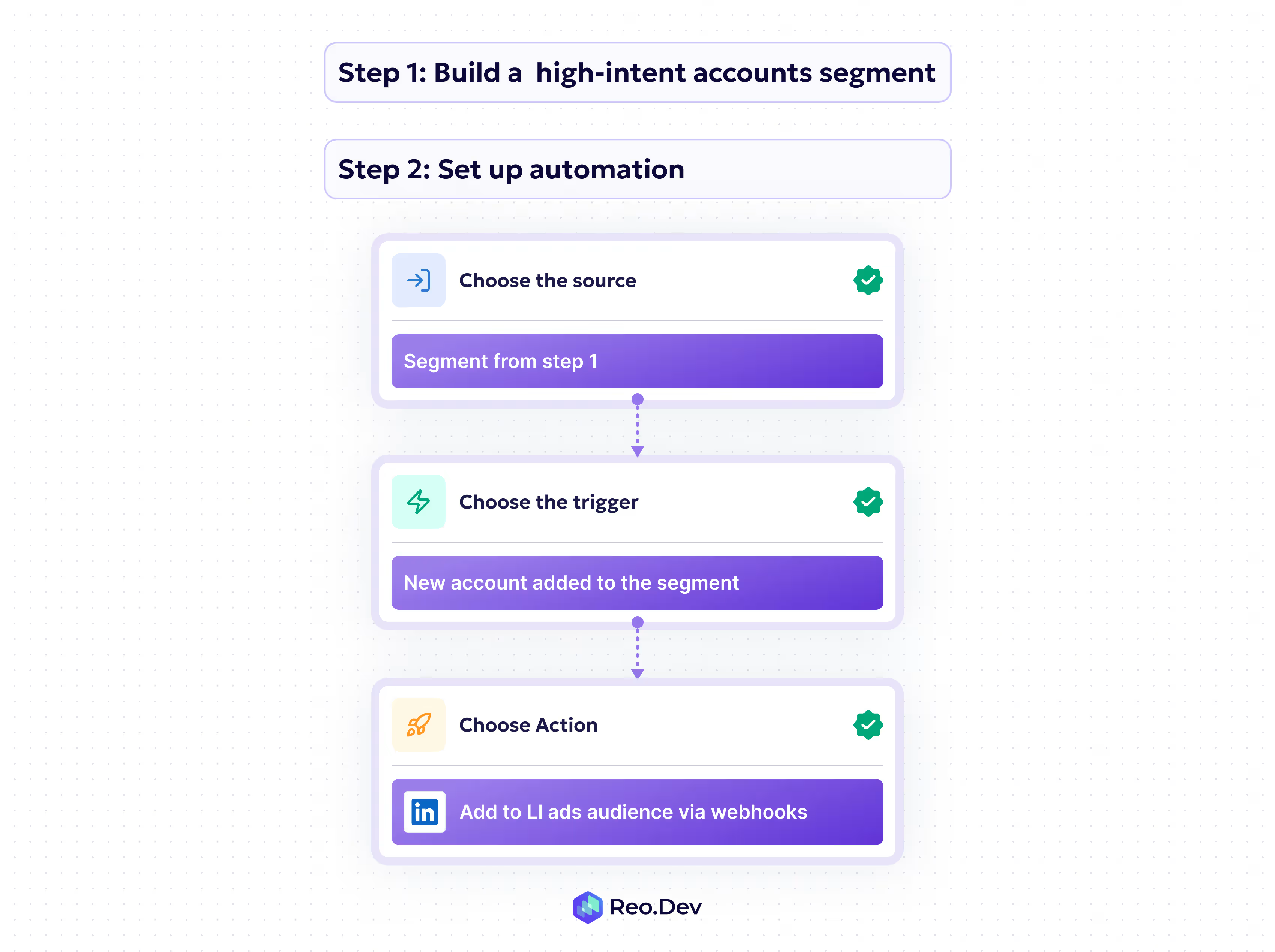
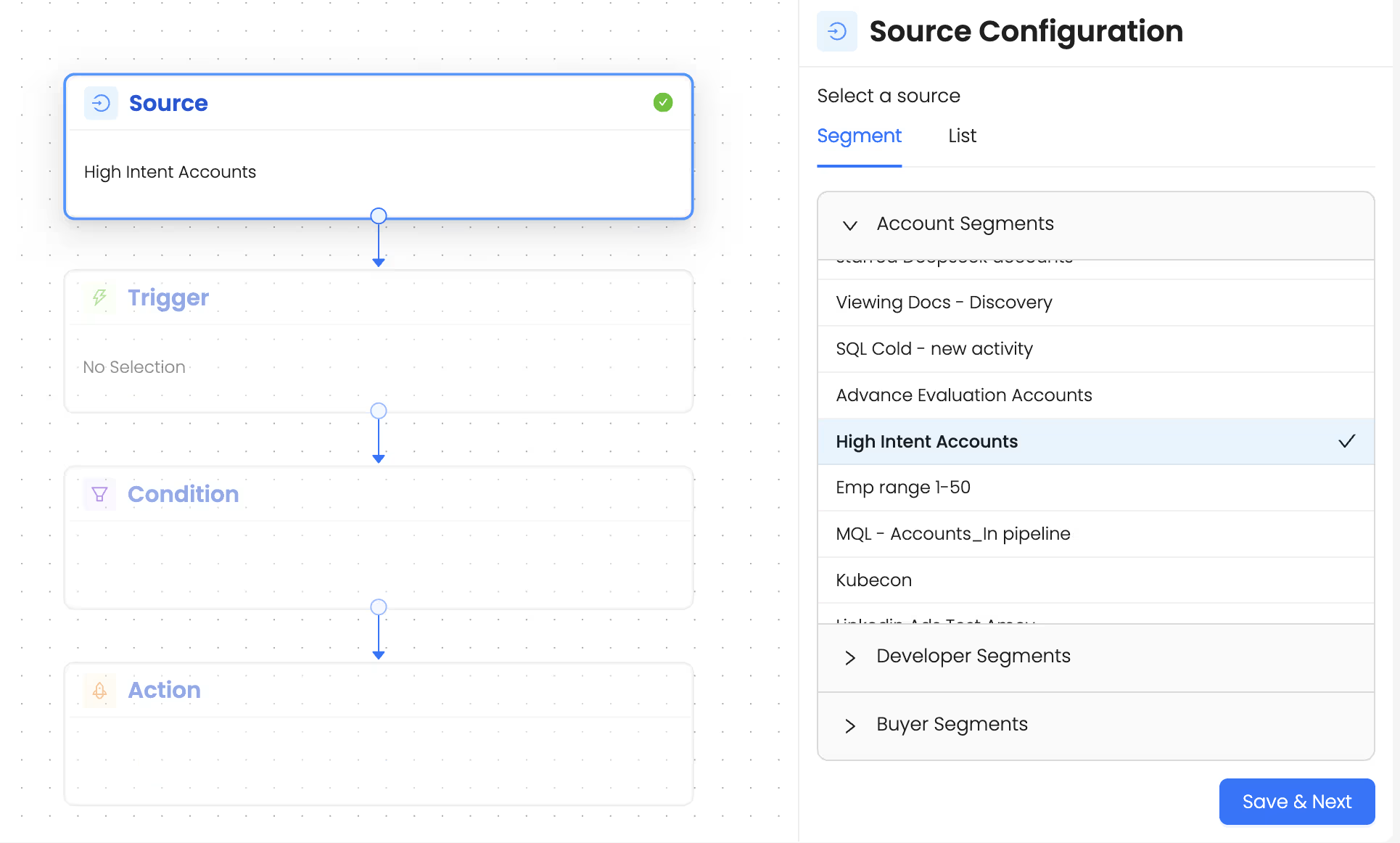
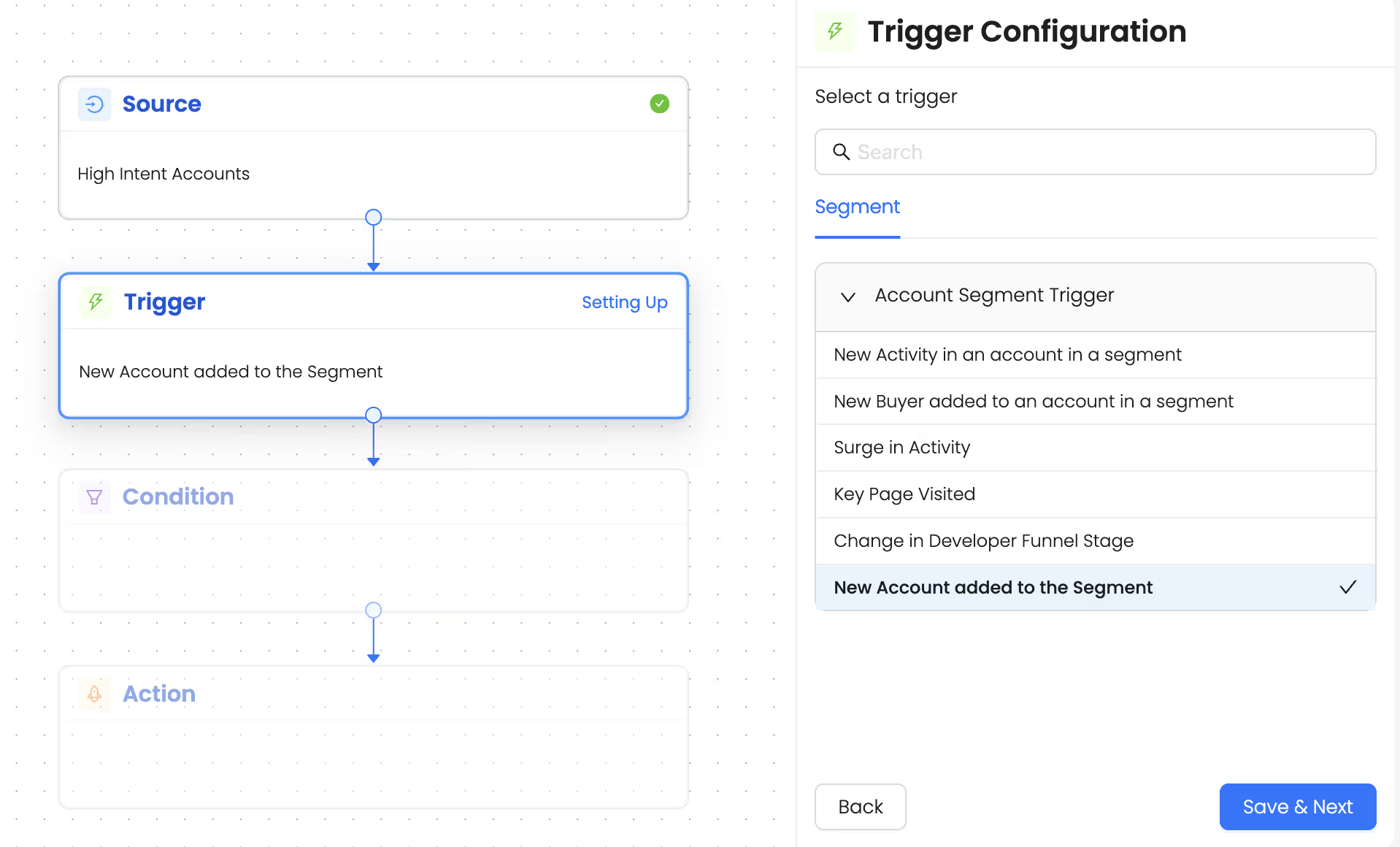
Step 2: Set up an automation that instantly sends new accounts that match the above criteria into your LI ads directly.
This ensures your LI ad audiences auto-refresh with hot accounts and no accounts slip through the cracks.
Talk to Our Team
Need help to understand this playbook or implementing it? Book a call with our team for guidance. Have a custom playbook requirement or feedback to share? We’d love to hear from you! Simply schedule a meeting, and we’ll help you maximize your results with Reo.Dev
If you have any questions or need help, you can reach out to us in our Slack customer channel, schedule a meeting with our team, or email us at support@reo.dev. We’re here to support you every step of the way and ensure you get the most out of Reo.Dev!


.avif)


