Need help to understand this playbook or implementing it? Book a call with our team for guidance. Have a custom playbook requirement or feedback to share? We’d love to hear from you! Simply schedule a meeting, and we’ll help you maximize your results with Reo.Dev
If you have any questions or need help, you can reach out to us in our Slack customer channel, schedule a meeting with our team, or email us at support@reo.dev. We’re here to support you every step of the way and ensure you get the most out of Reo.Dev!
Imagine this: an ICP account opens your Pricing page (or any key page for that matter) … and you know right at the moment it happens.
This automation turns key page activity (visit to Pricing, API docs, or other key pages) into instant, actionable alerts on slack - so you can reach out at the right time, with the right context.
Perfect timing, every time.
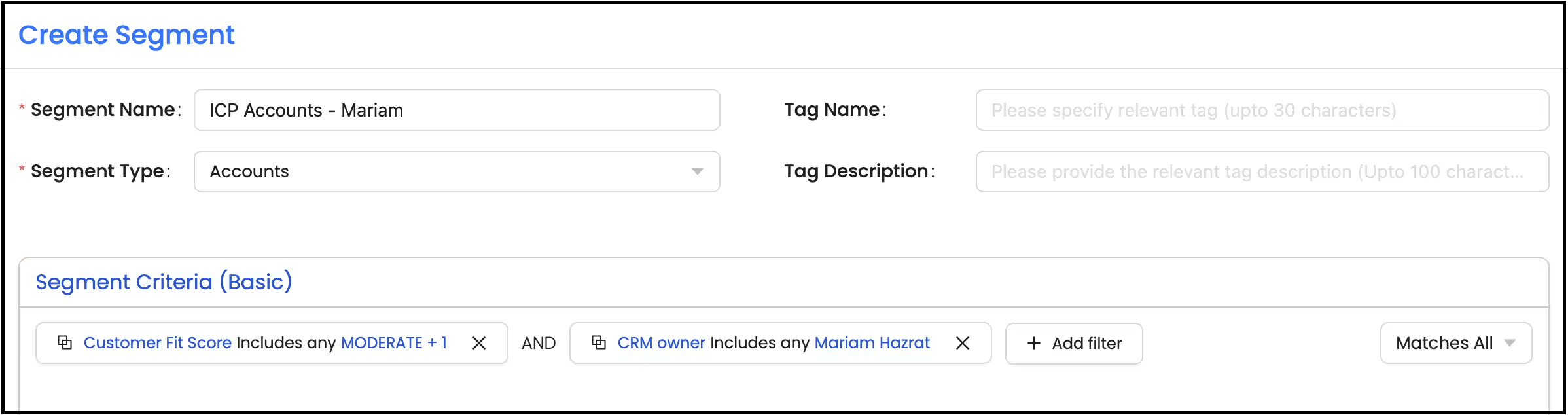
Step 1: Create a segment of your ICP accounts
Segment: Basic
Segment Type: Accounts
Primary Filter:
Under Intel - Customer Fit Score - Includes any - ‘Strong’ & ‘Moderate’.
Under Source - CRM Owner - {Your Name}
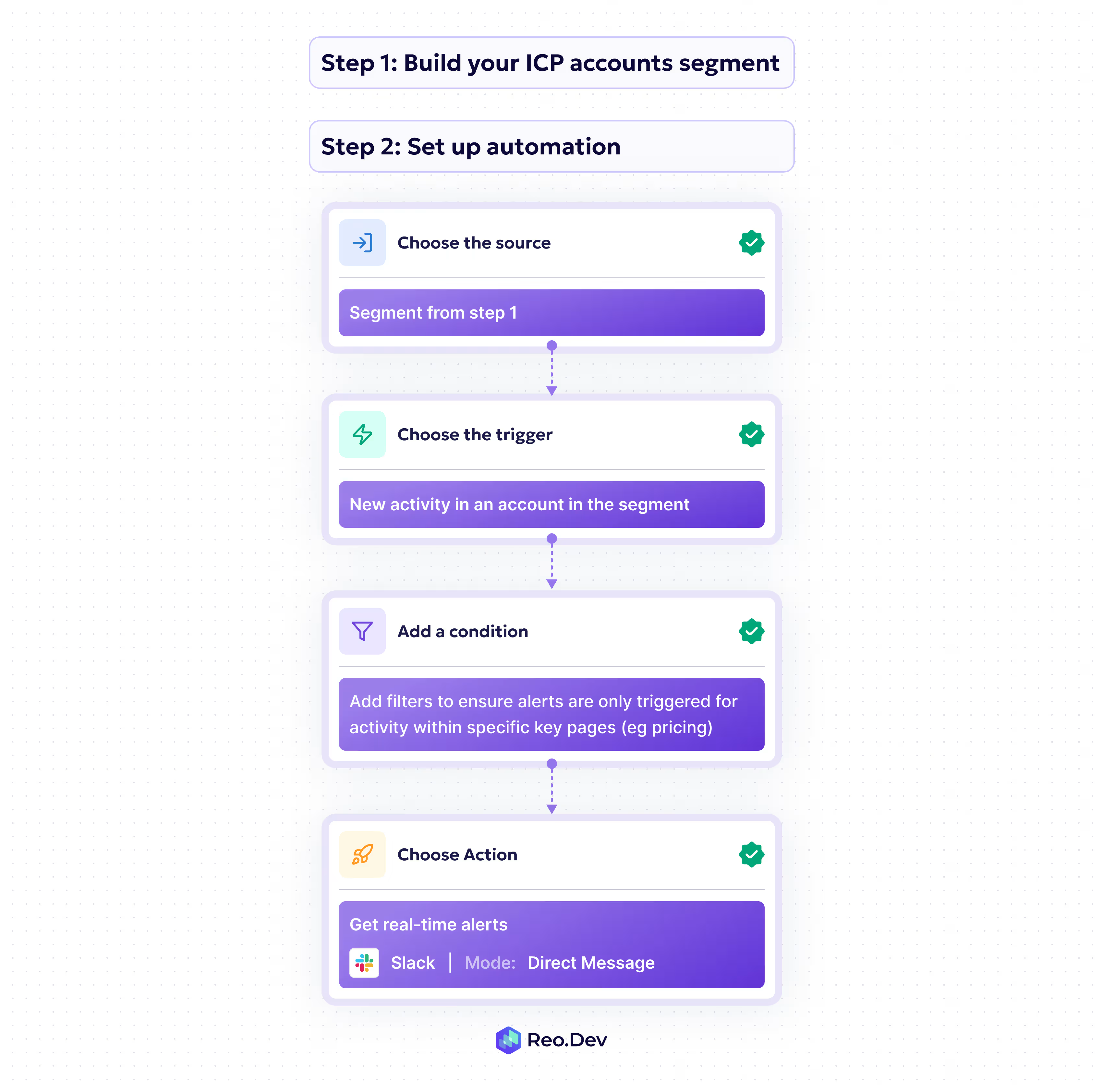
Step 2: Set up an automation to get alerted when new developers engage with specific key pages on your website or documentations.
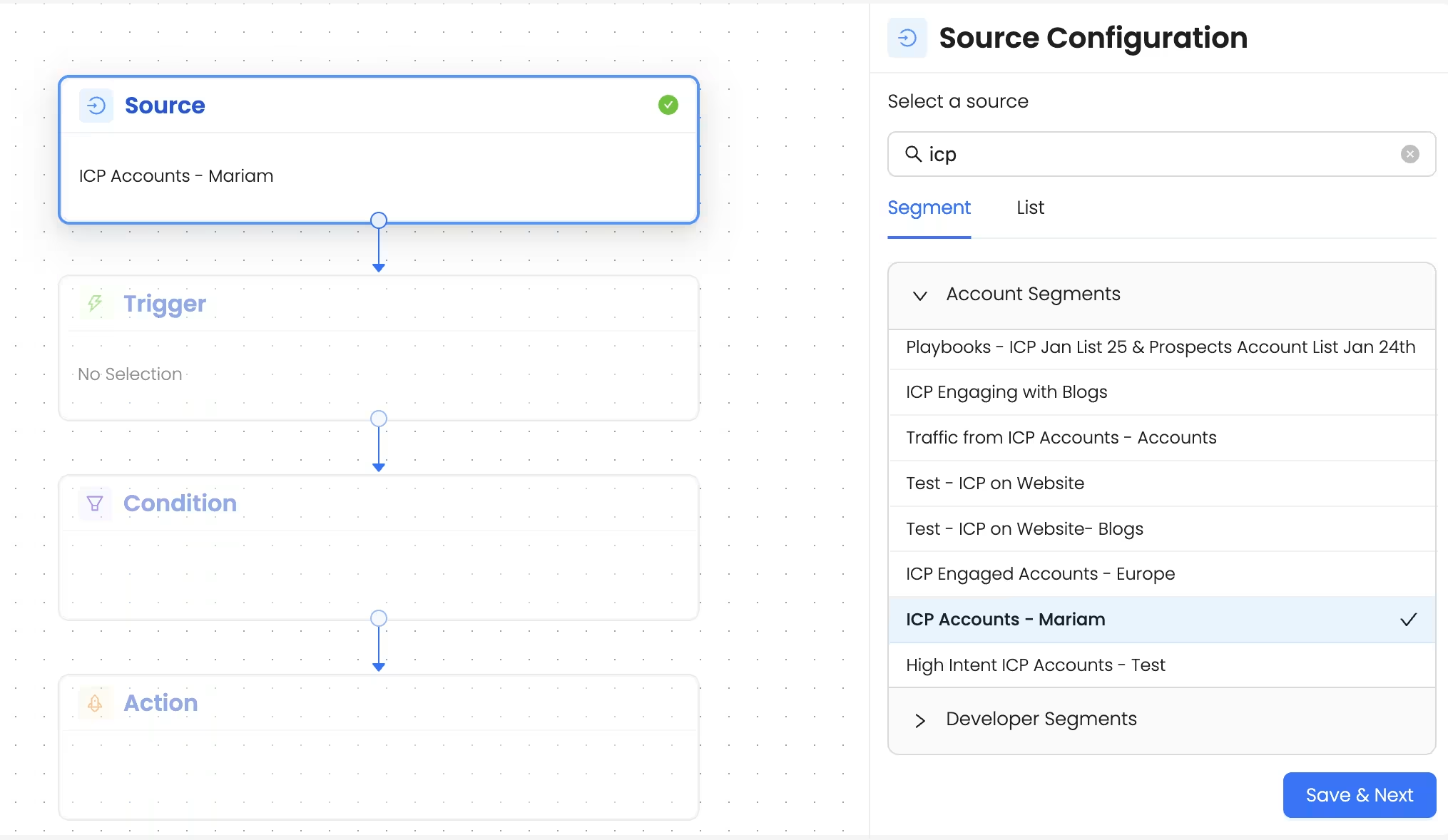
1. Choose the source as the above segment
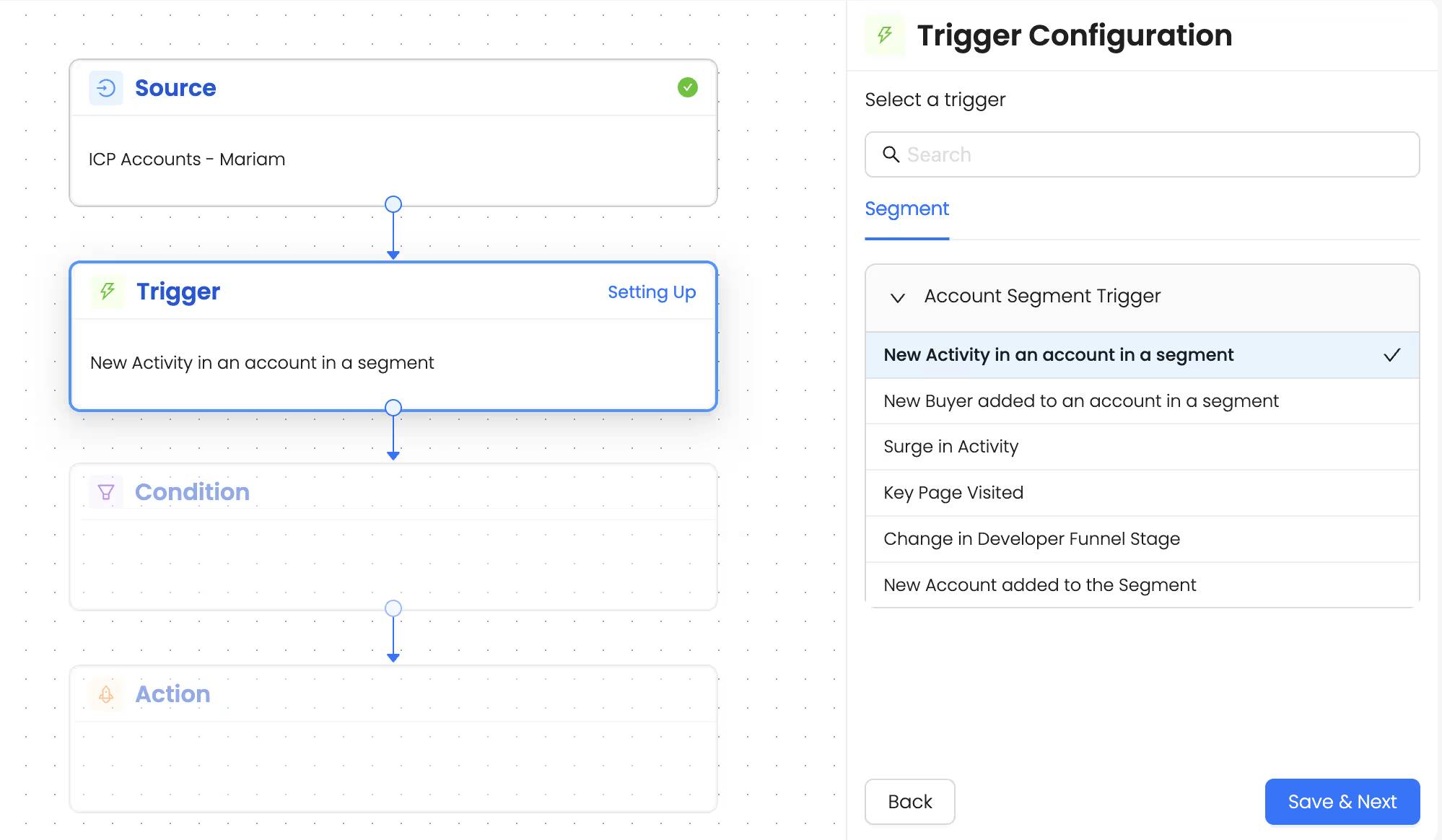
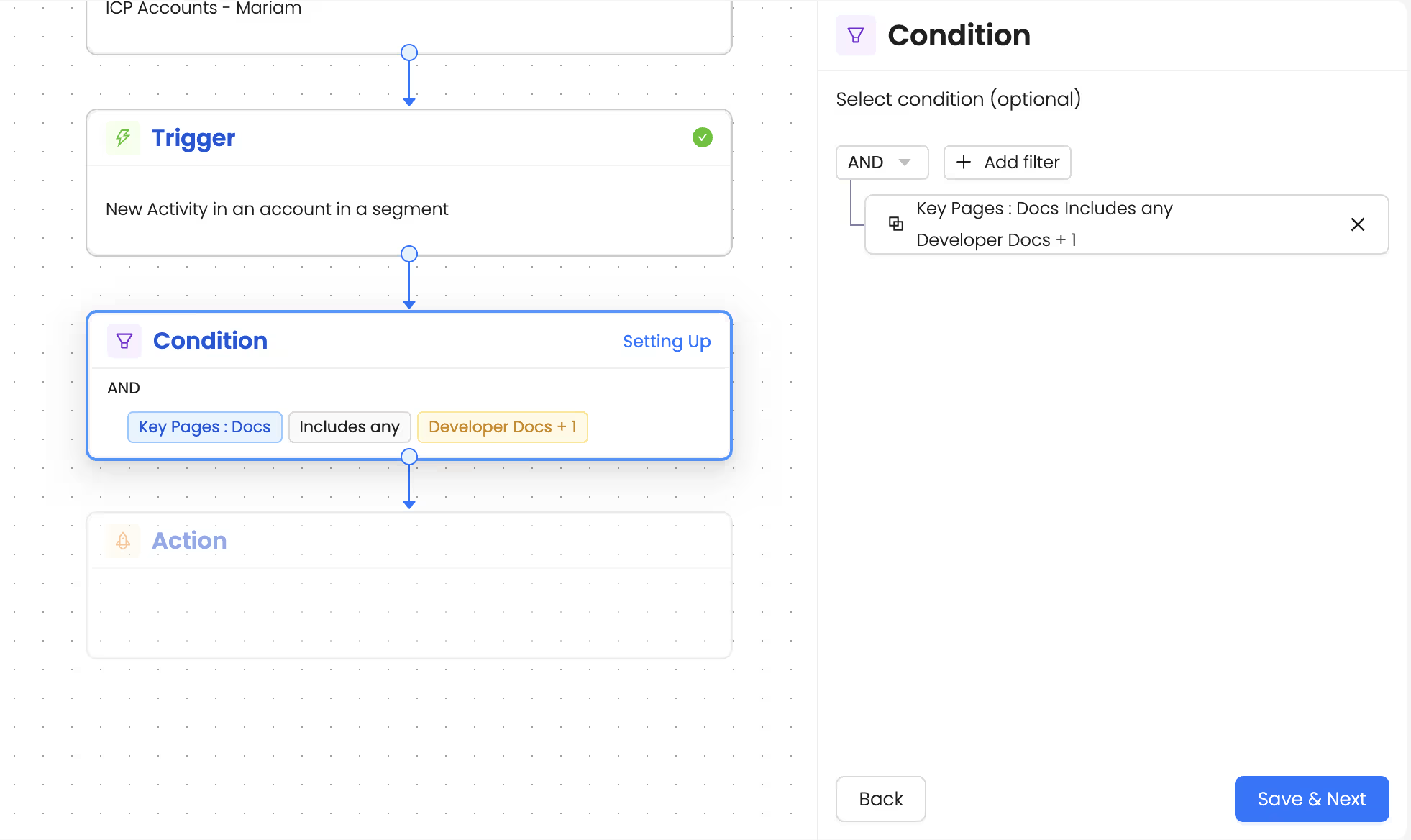
2. Choose trigger as ‘New activity in an account in a segment’
3. Set up a condition as a key page: You can choose Pricing page, a specific documentation page or any other page that indicates strong intent.
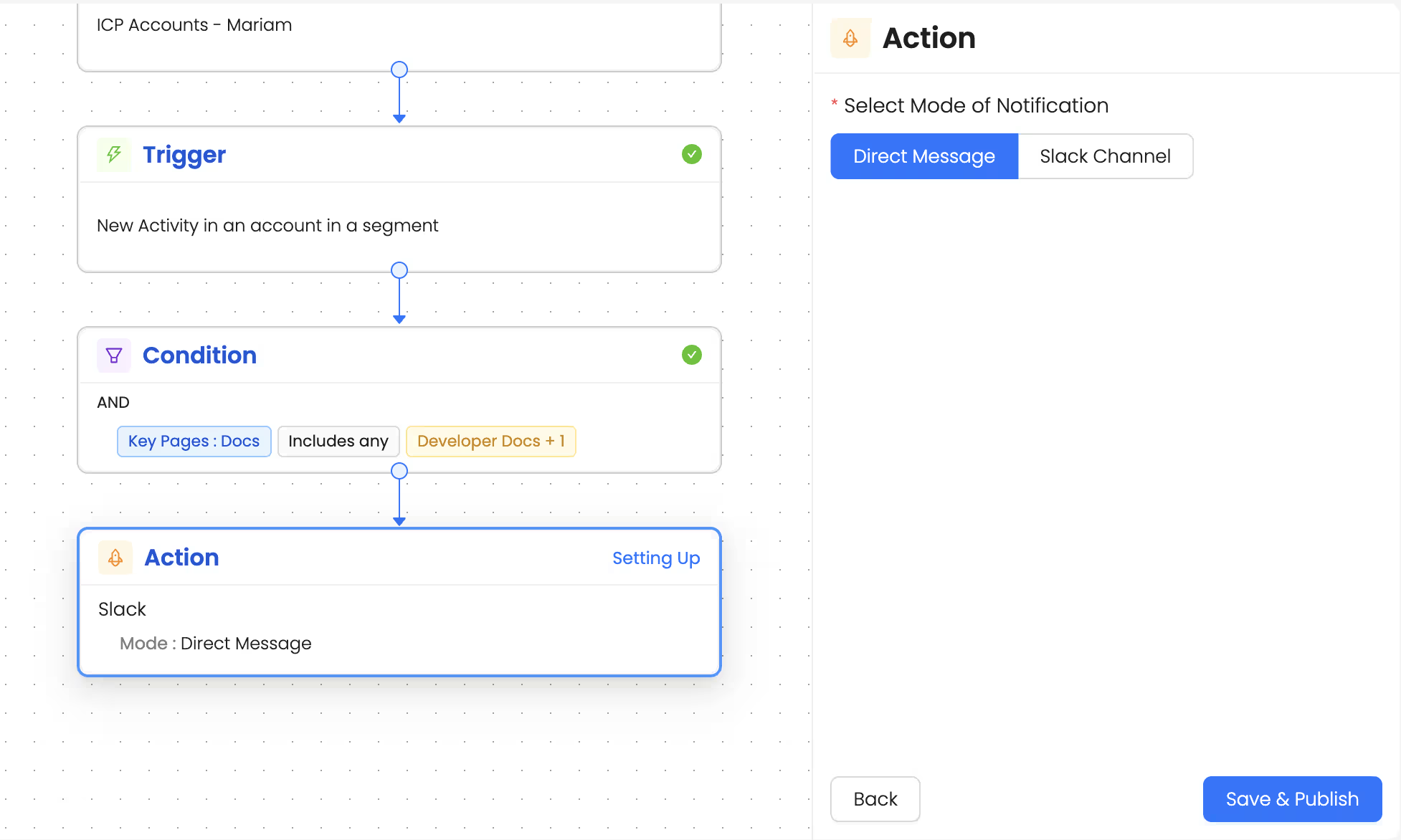
4. Set up action as - Get alerts via slack DM.
Talk to Our Team
Need help to understand this playbook or implementing it? Book a call with our team for guidance. Have a custom playbook requirement or feedback to share? We’d love to hear from you! Simply schedule a meeting, and we’ll help you maximize your results with Reo.Dev
If you have any questions or need help, you can reach out to us in our Slack customer channel, schedule a meeting with our team, or email us at support@reo.dev. We’re here to support you every step of the way and ensure you get the most out of Reo.Dev!