Need help to understand this playbook or implementing it? Book a call with our team for guidance. Have a custom playbook requirement or feedback to share? We’d love to hear from you! Simply schedule a meeting, and we’ll help you maximize your results with Reo.Dev
If you have any questions or need help, you can reach out to us in our Slack customer channel, schedule a meeting with our team, or email us at support@reo.dev. We’re here to support you every step of the way and ensure you get the most out of Reo.Dev!
When an account blows up in activity… and you only find out days later!
But — that ends now.
This playbook gives you real-time activity surge alerts on the accounts you care about most. The second a target account heats up, it hits your Slack — so you can jump in while they’re active, not after they’ve gone cold.
Your outreach lands at the perfect time - when an account is actively engaged, ensuring no opportunities slip through the cracks.
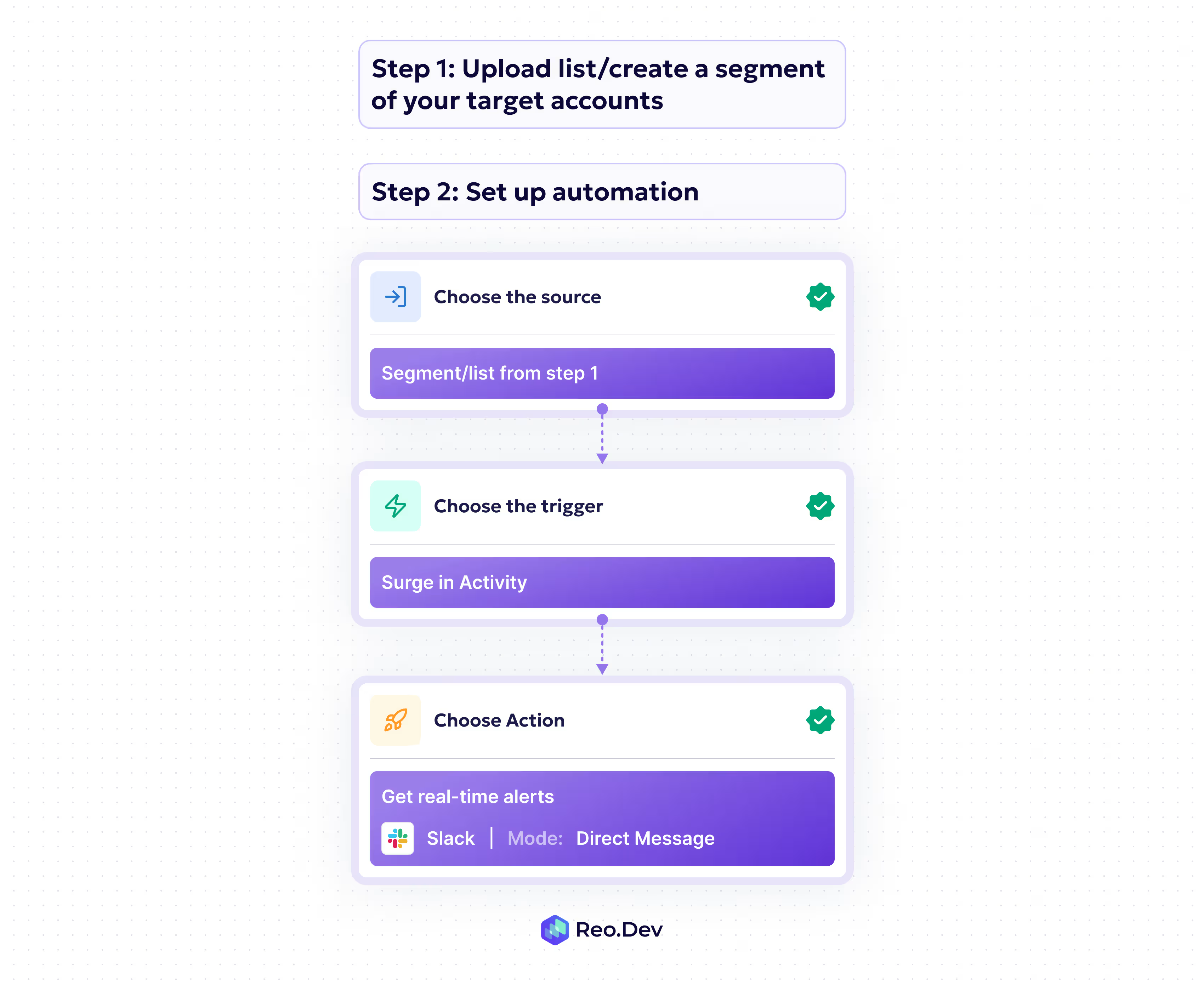
Here’s a detailed step-by-step breakdown on setting up this automation from scratch:
Step 1: Create your priority account list/segment
If you have an existing list of accounts you want to prospect - you can upload that list on Reo.Dev to enrich accounts with developer activity and other account insights.
To upload a custom list: Head to tools >> Lists >> Create a List
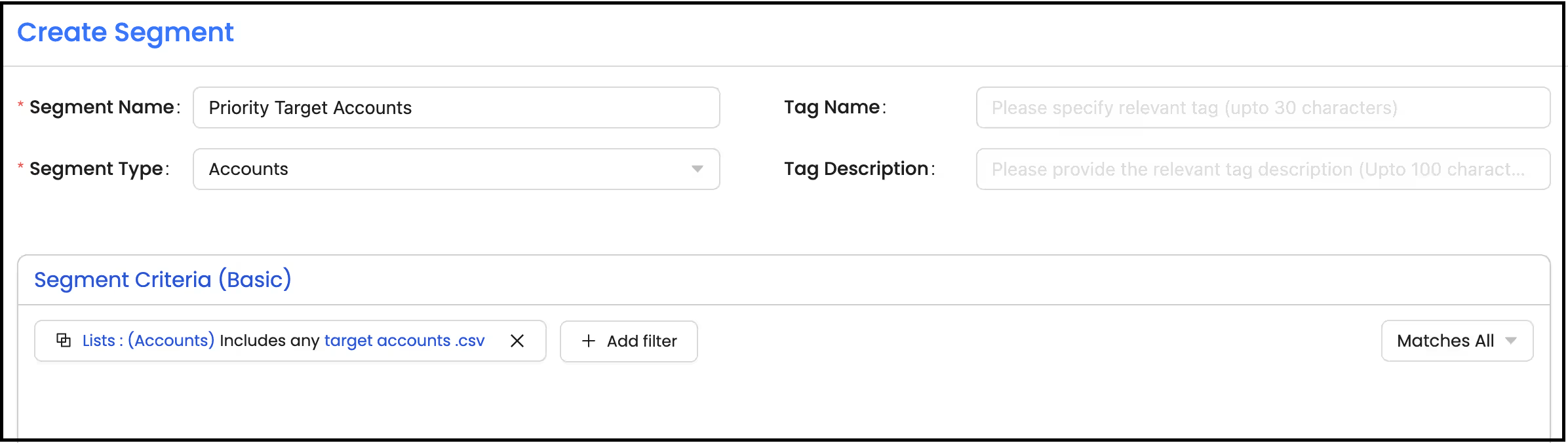
Or you can create a segment of your custom account list.
Segment: Basic
Segment Type: Accounts
Filters:
Under Source - Lists - Includes any - Select the {List name} you uploaded.
Step 2: Set up automation
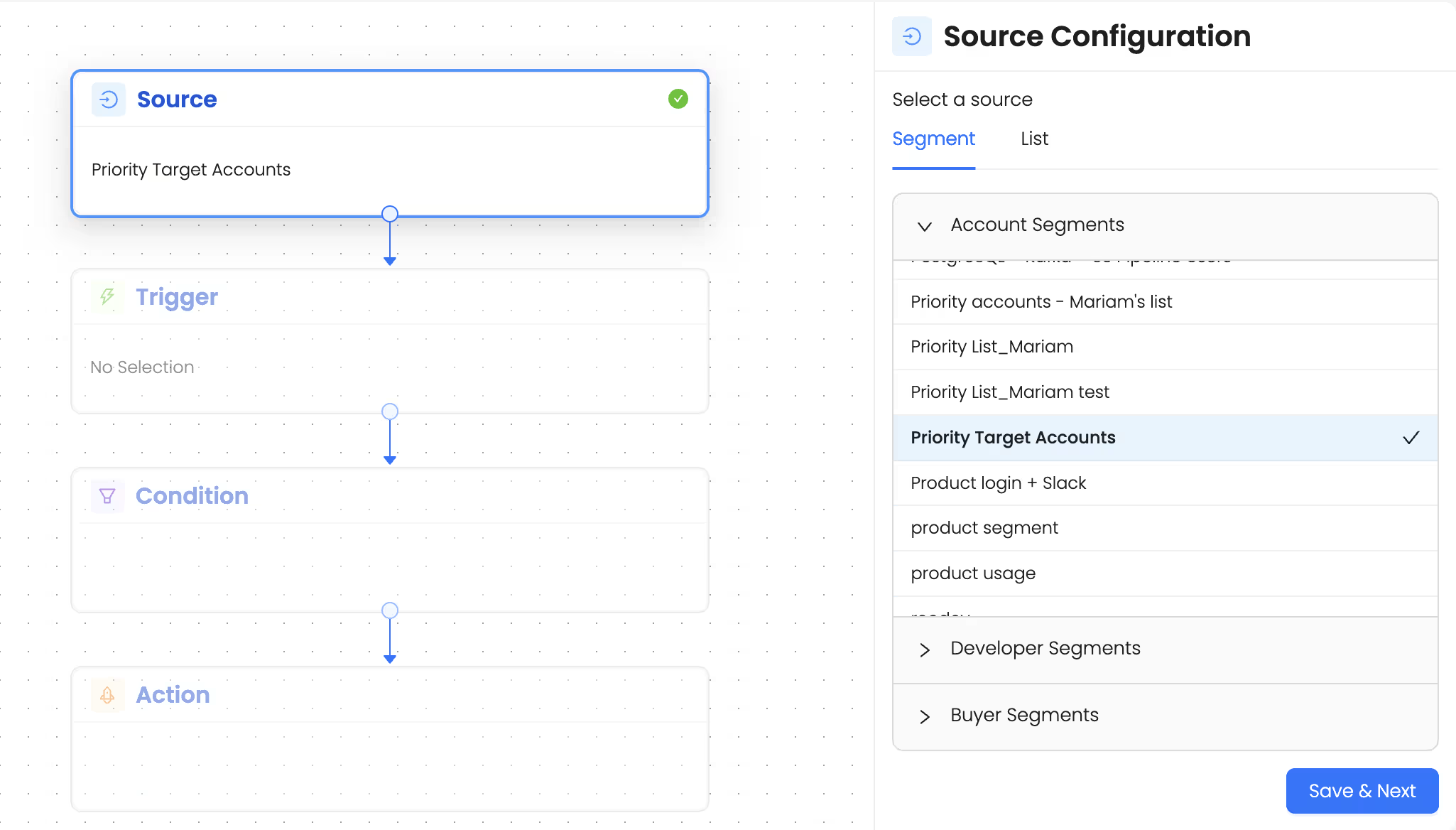
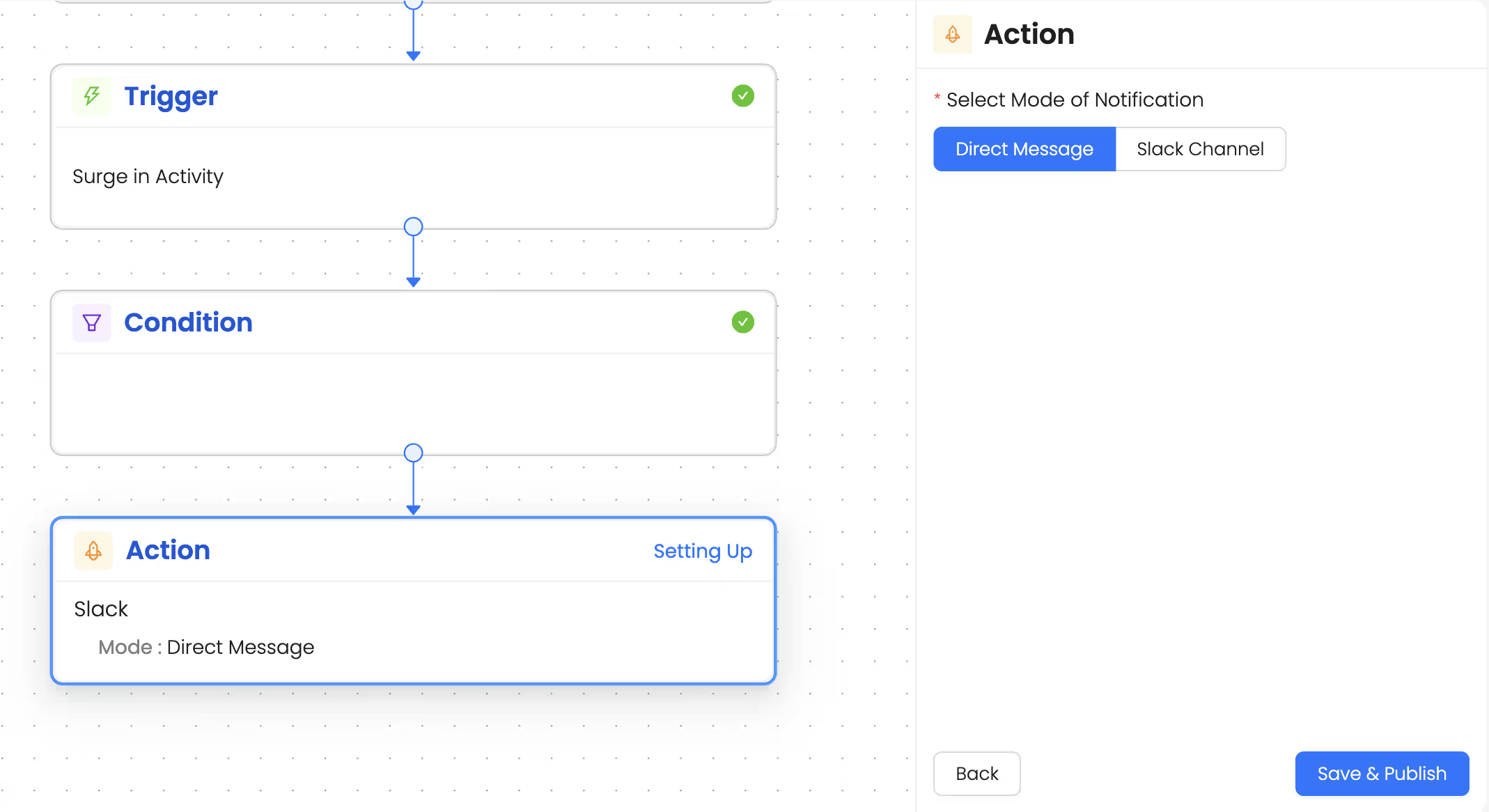
Once you’ve created the segment, you can set up the automation on it to receive alerts when there is a surge in activity. Here’s how you can build it out:
1. Choose the source as the segment/list from the previous step
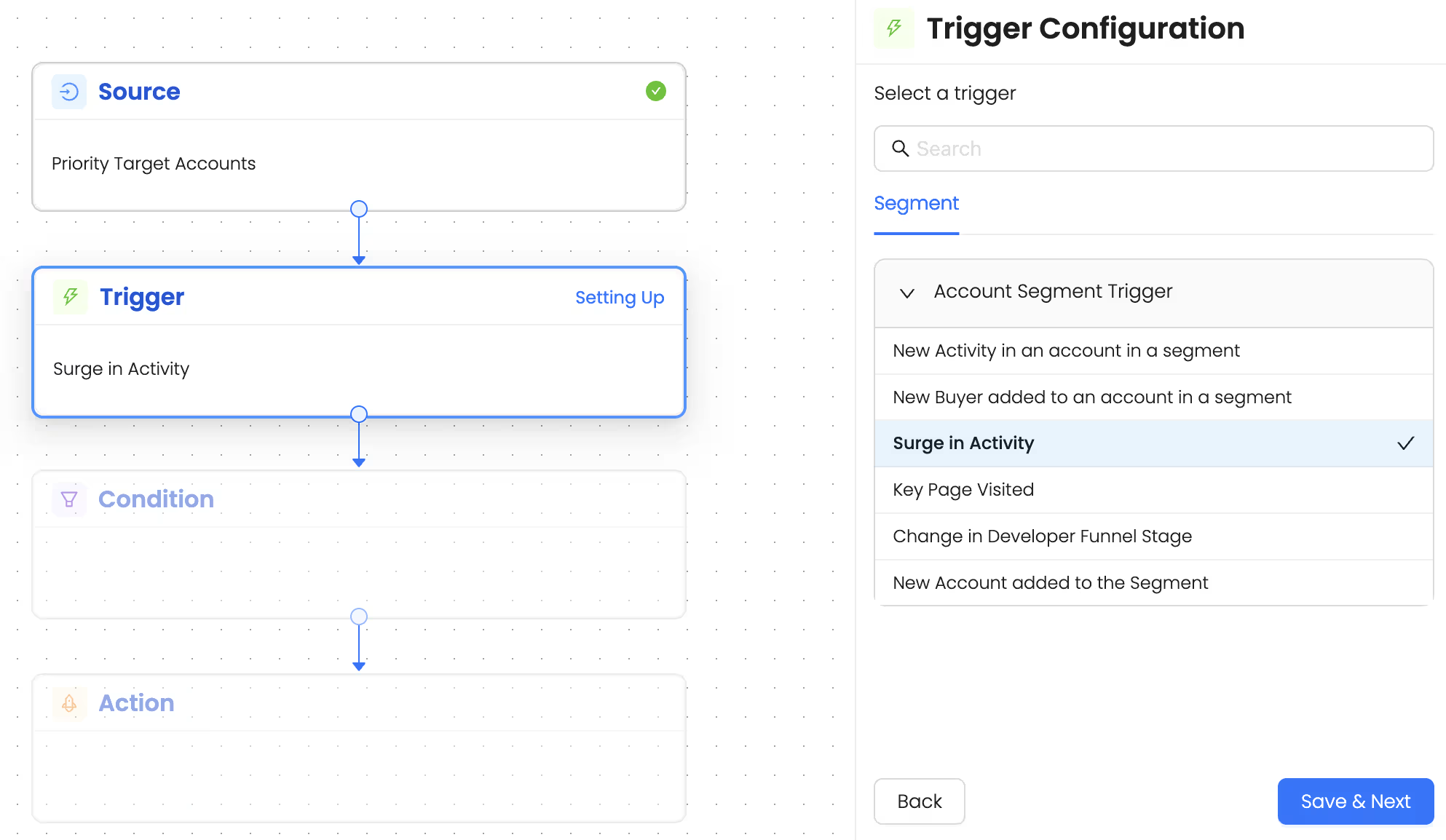
2. Choose the trigger ‘Surge in activity’. This trigger surfaces accounts that have shown a recent spike in activity.
3. Set up action - Choose ‘Get alerts via Slack’. This helps you get alerts directly on your slack DM every time there is a surge in activity in any of your target accounts.
This automation ensures that sales teams never miss out on a hot opportunity and can instantly follow-up with accounts when they’re showing activity.
Talk to Our Team
Need help to understand this playbook or implementing it? Book a call with our team for guidance. Have a custom playbook requirement or feedback to share? We’d love to hear from you! Simply schedule a meeting, and we’ll help you maximize your results with Reo.Dev
If you have any questions or need help, you can reach out to us in our Slack customer channel, schedule a meeting with our team, or email us at support@reo.dev. We’re here to support you every step of the way and ensure you get the most out of Reo.Dev!